Case study · Renewed & Rebuilt

healthcare platform
eVero runs the day-to-day of organizations that support people with intellectual and developmental disabilities — documentation, medication, shift logs, budgets, and billing the government. It was twenty years old when I joined as its first product designer, and it had grown one module at a time: each kept its own forms, its own logs, its own way of recording the same person. I rebuilt those modules and designed new ones on a single design system, then carried that system to the mobile app, the website and print. The goal was never to make the platform simpler than it is — only easier to move through.
Each section below opens with the legacy screens it replaced, then the rebuild. Where a screen has more than one state, the states share a frame you can switch between.
01OverviewProduct Designer · 2023–2025
The only product designer on a care platform for disability service providers — rebuilding legacy modules, designing new ones, and bringing every surface onto one design system.
- Role
- Product Designer · sole designer
- Timeline
- 2023–2025, rolled out in phases
- Surfaces
- Platform, mobile app, website, print
02Work doneProduct, data, training, marketing
- Product
- Legacy modules rebuilt and new ones designed, from requirements through high-fidelity UI
- Design system
- One visual language across the platform, mobile app, website and print, rolled out module by module
- Data science
- Dashboards in Bold BI, and a budgeting tool that replaced a spreadsheet process
- Education
- The eVero Ed home screen, eVero U, and the training website's navigation
- Marketing
- Ecosystem diagrams for sales and onboarding; email templates in the product's visual language
03ProductsPlatform modules
Also designed, not shown
- Admin toolbox
- Form builder
Renewed & Rebuilt / 01
Home screen
1 legacy capture → 1 rebuilt screen
01
Legacy build → Final homescreen
drag to compare · scroll the frame
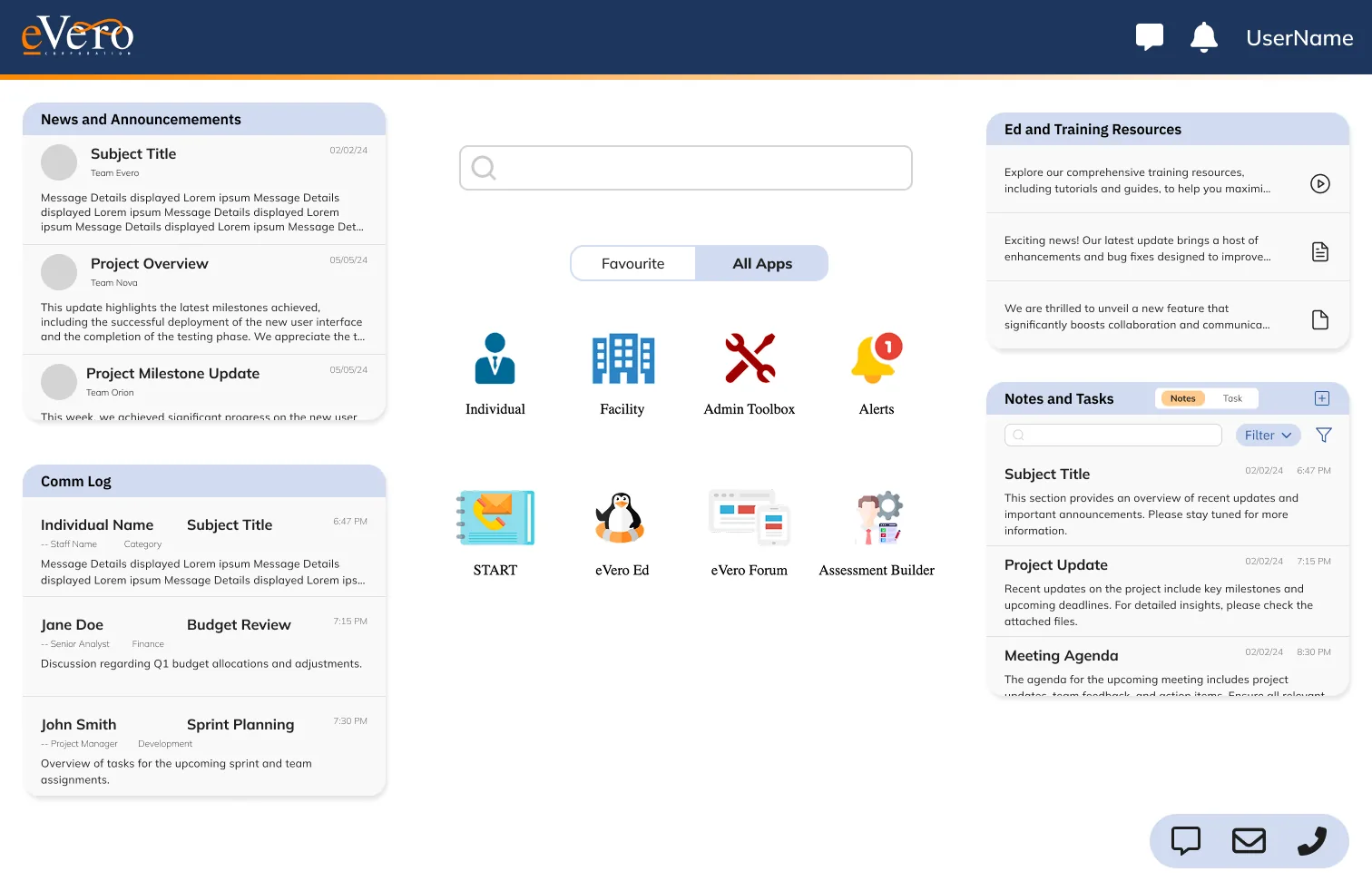
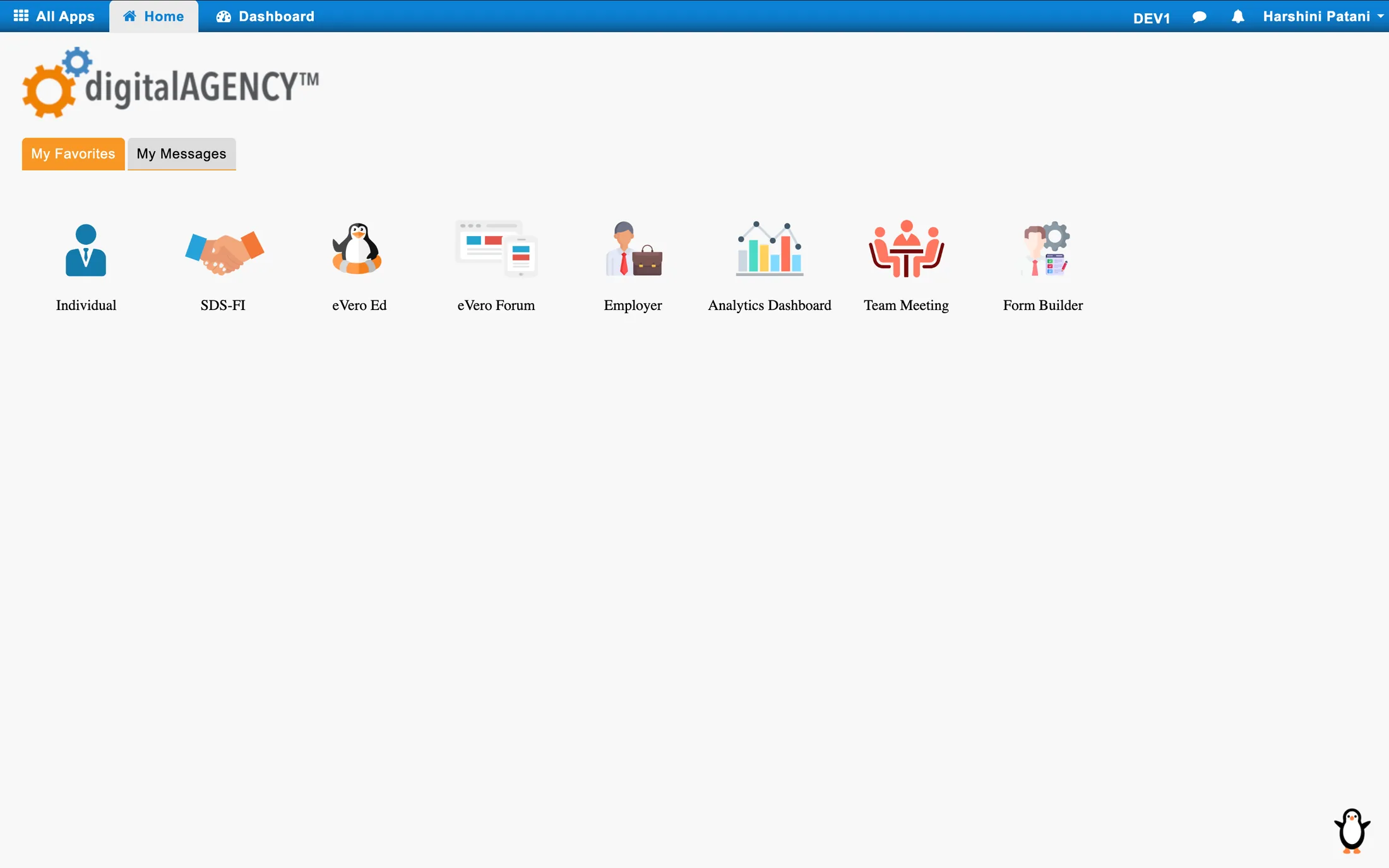
Old Home Screen. A grid of the modules a user had favourited, and nothing else. Anything new — a message, a task, a change to someone’s record — had to be found by opening modules one at a time.
The widgets answer one question at the start of a shift: what needs me. Notifications, communications, tasks, recently used modules and favourites sit on one screen. The grid was built to take more widgets without crowding a screen that used to be empty.
Renewed & Rebuilt / 02
Communication Log
9 legacy captures → 5 rebuilt screens
Before · the log, as found
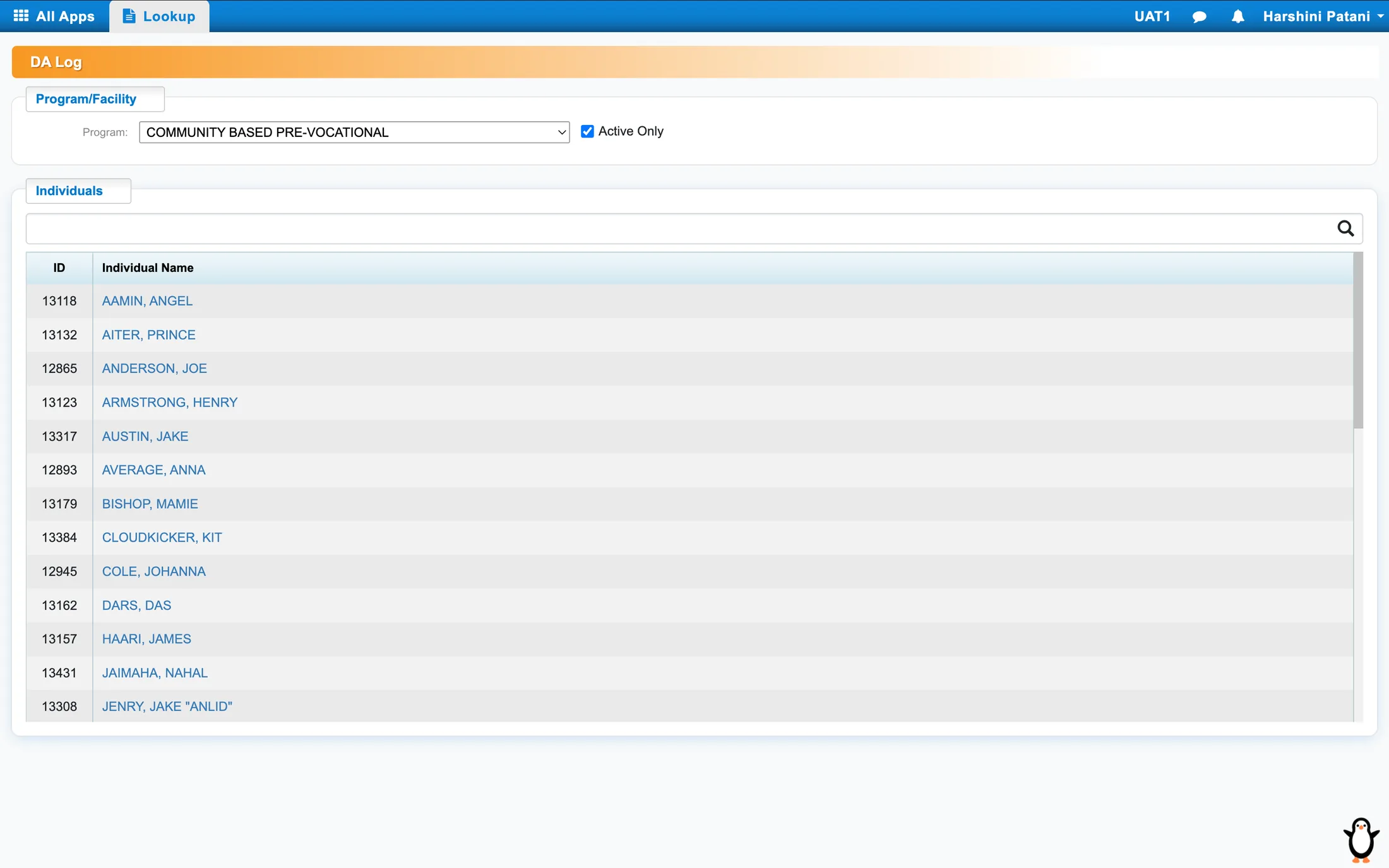
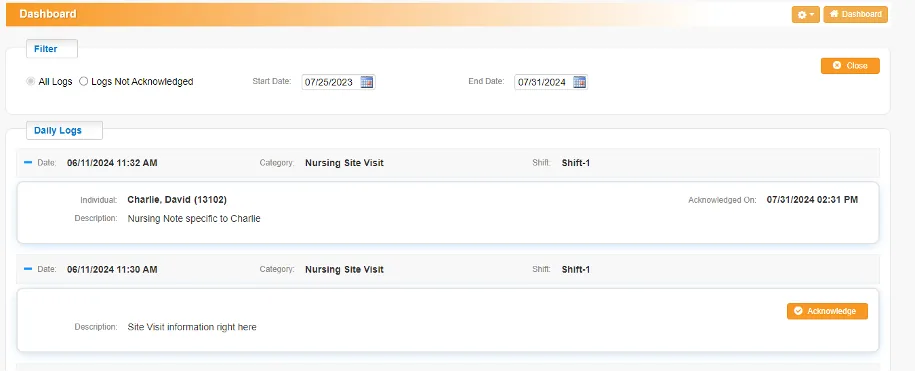
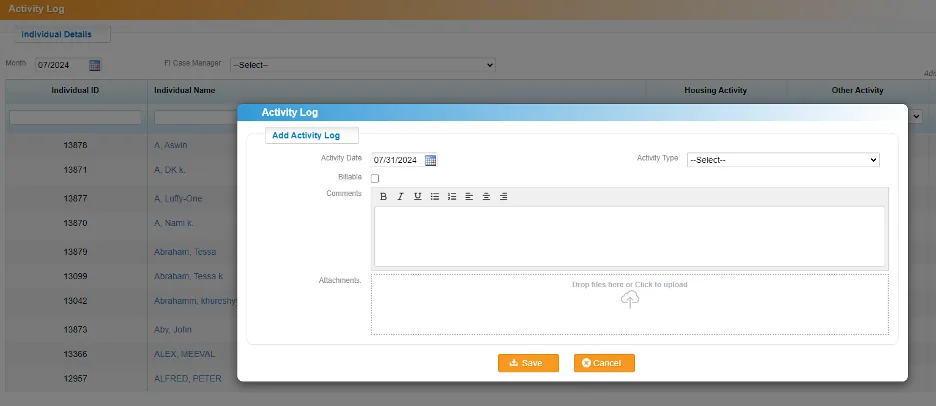
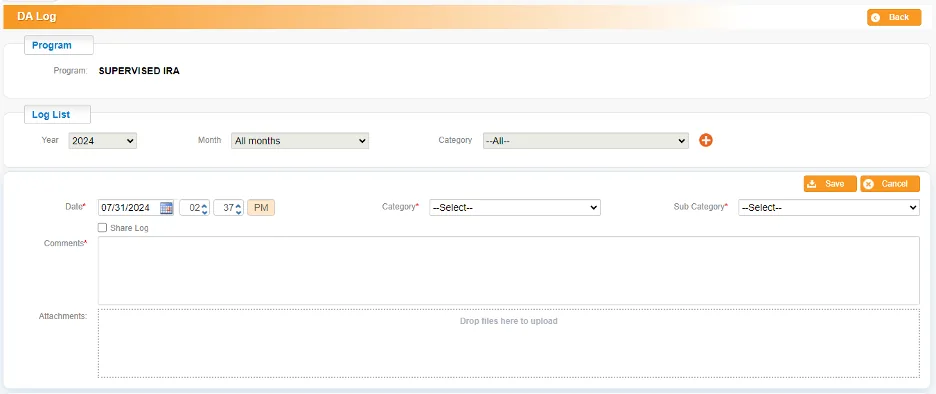
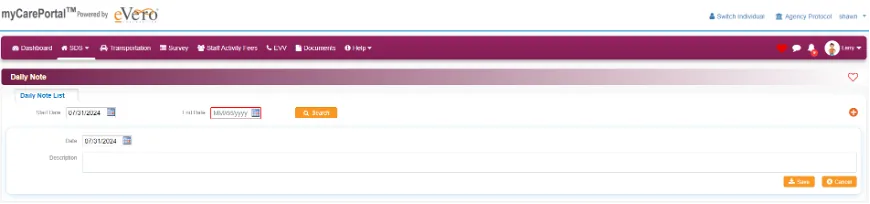
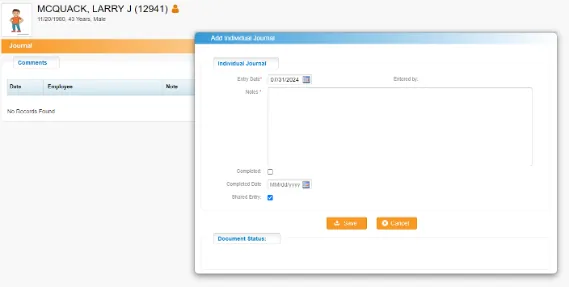
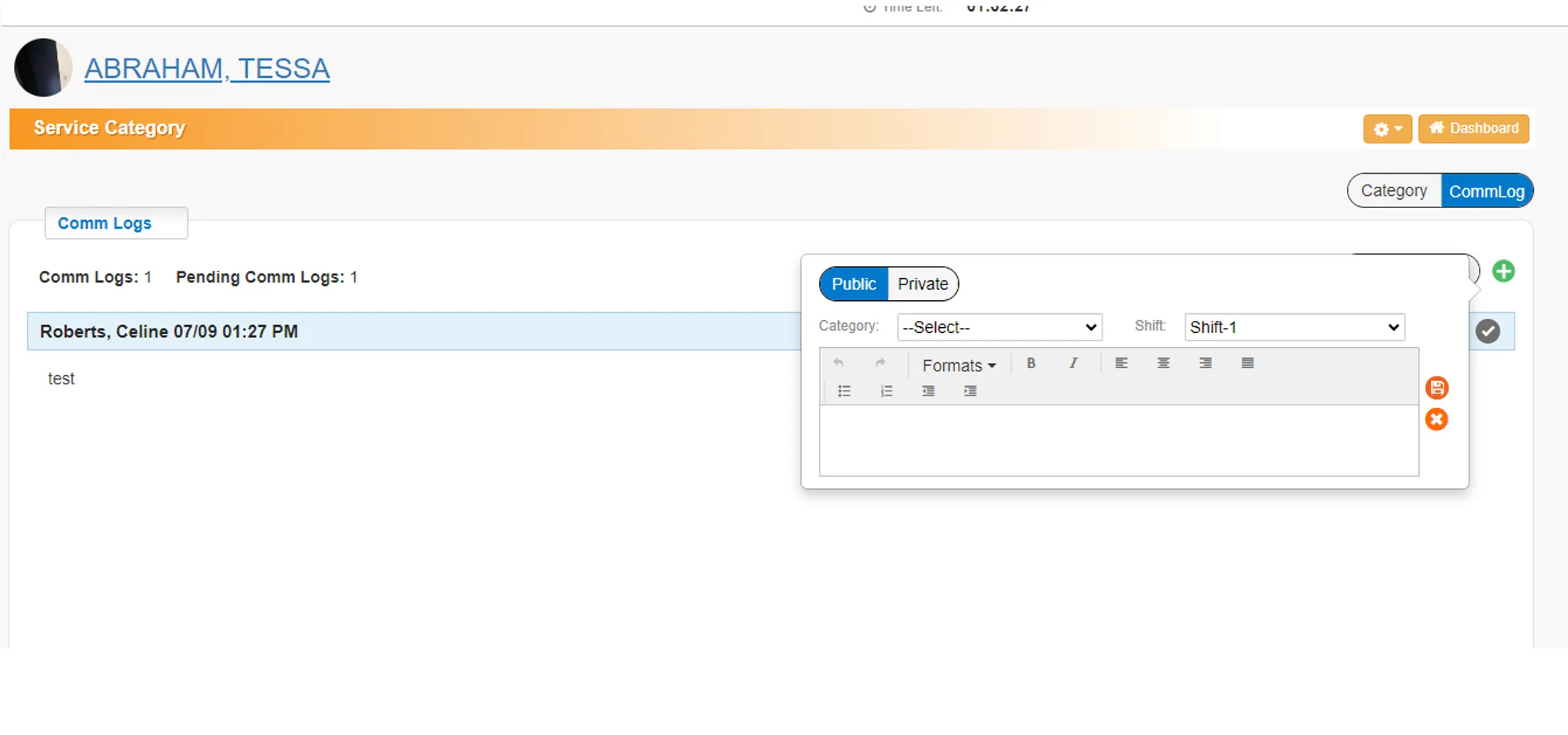
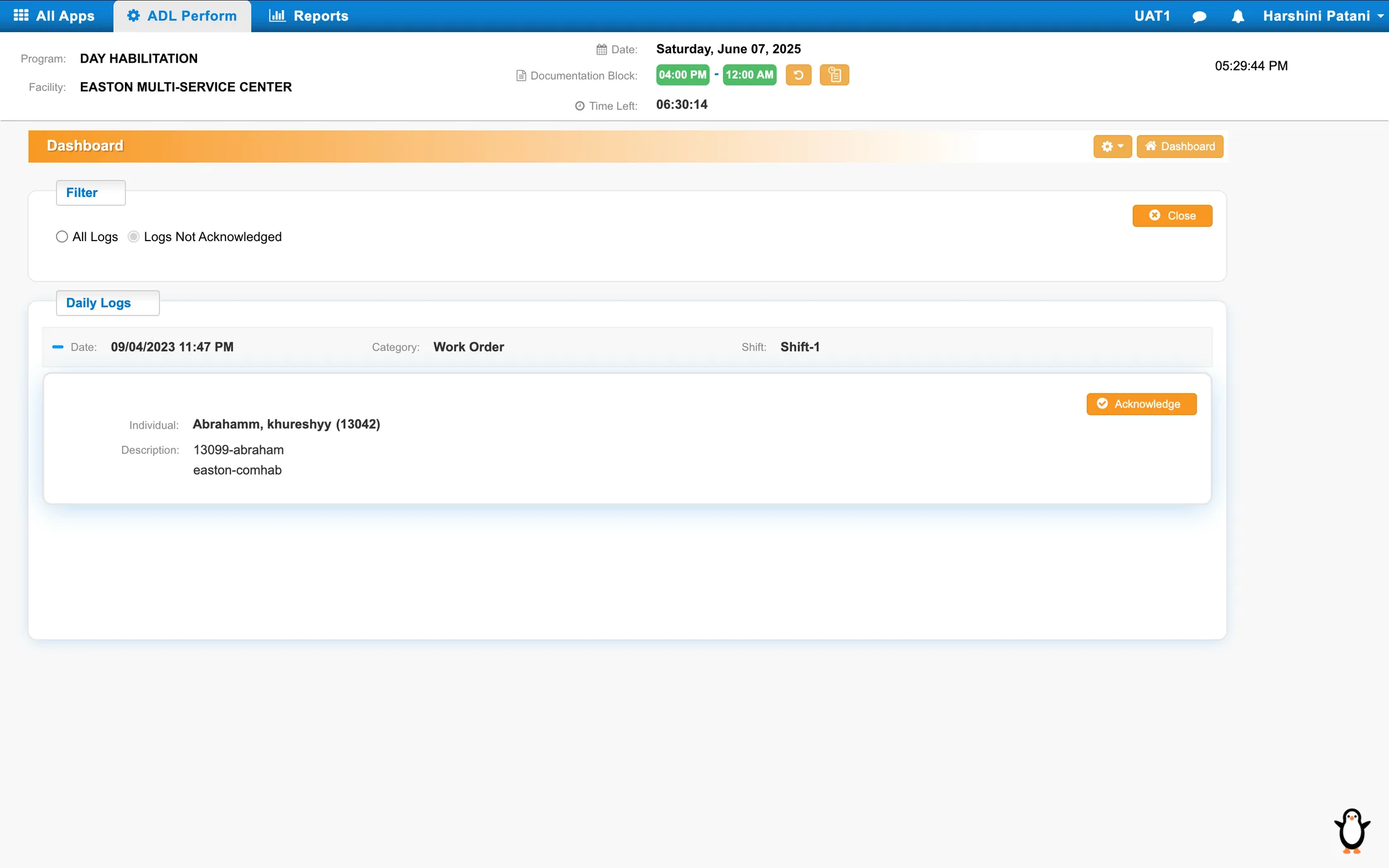
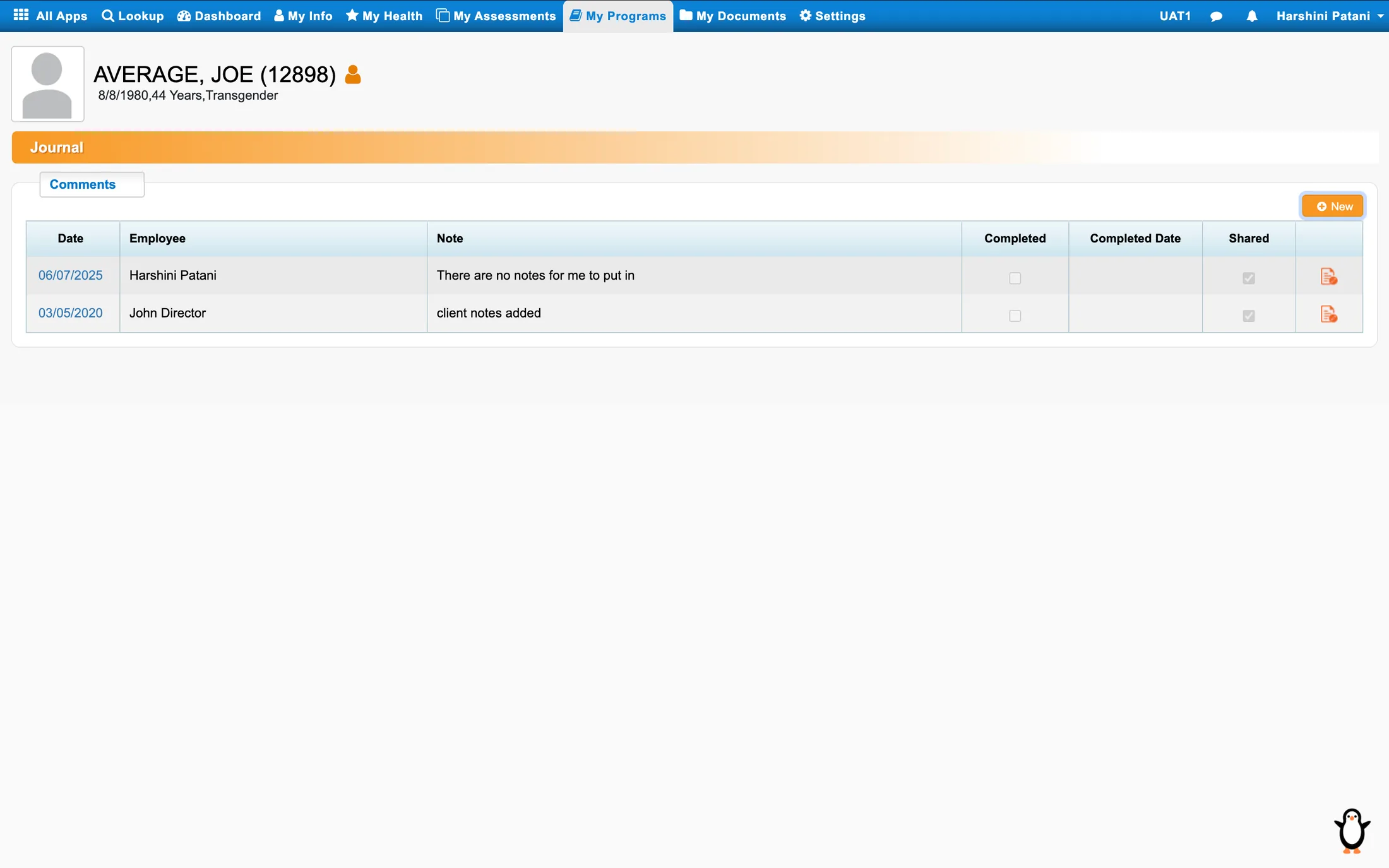
Same notes, separate logs.
Kept small on purpose — the point is the count, not the detail. DA logs, journals, comm logs and daily logs recorded the same kinds of information about a person, each in its own place, with no way to read them together.
01
Global Log Dashboard

Nothing in the old build answered what happened with a person today without opening several windows across several modules. One surface now carries that question, with unread, draft and needs-action as tags rather than separate screens.
02
Global Log Repo
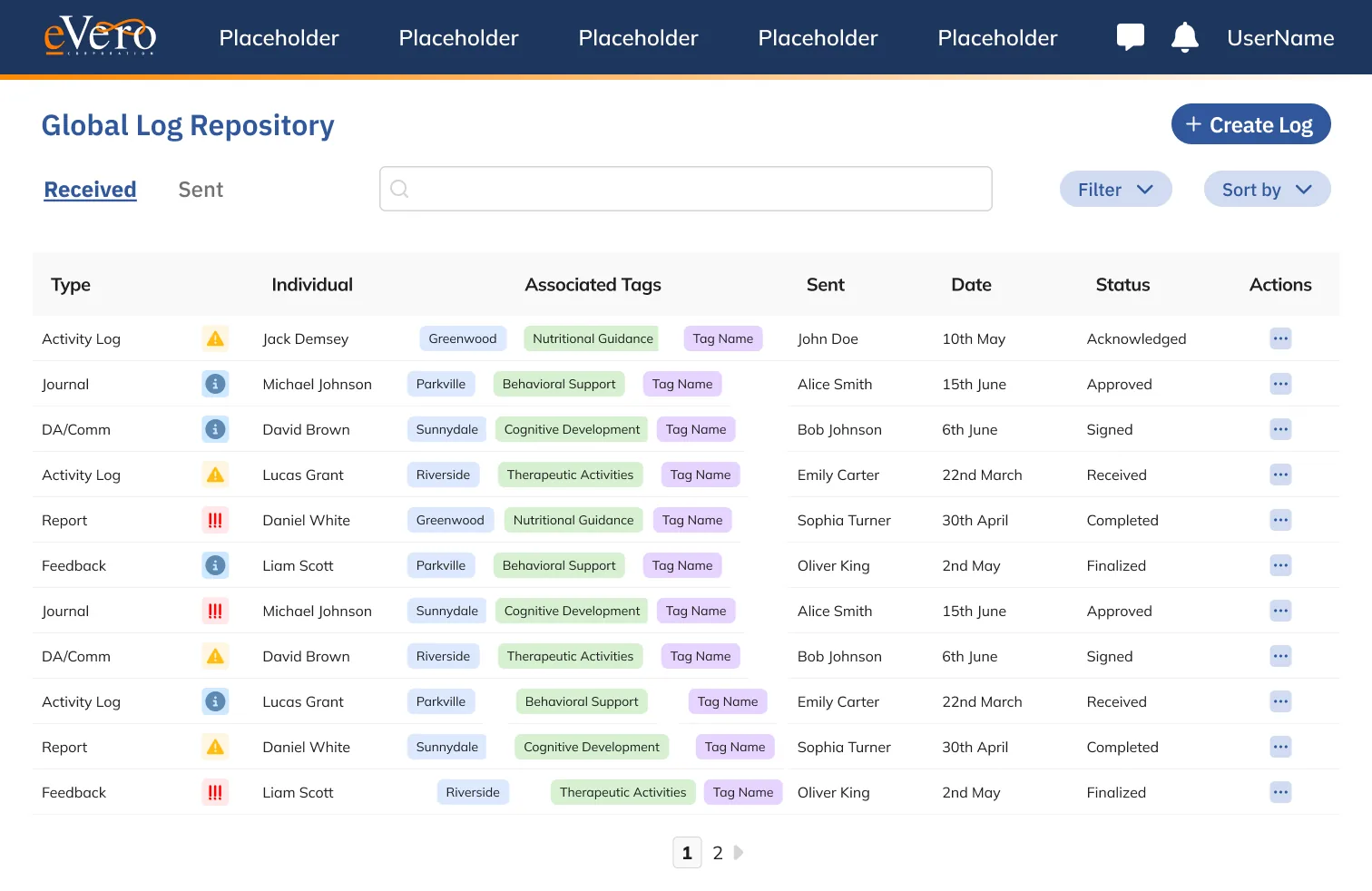
Each log type held its own slice of a person’s record, so no single view showed the whole of it. One repository now holds every entry. Log type, category and tags are filters on it, not separate systems.
03
Log Repo Expanded
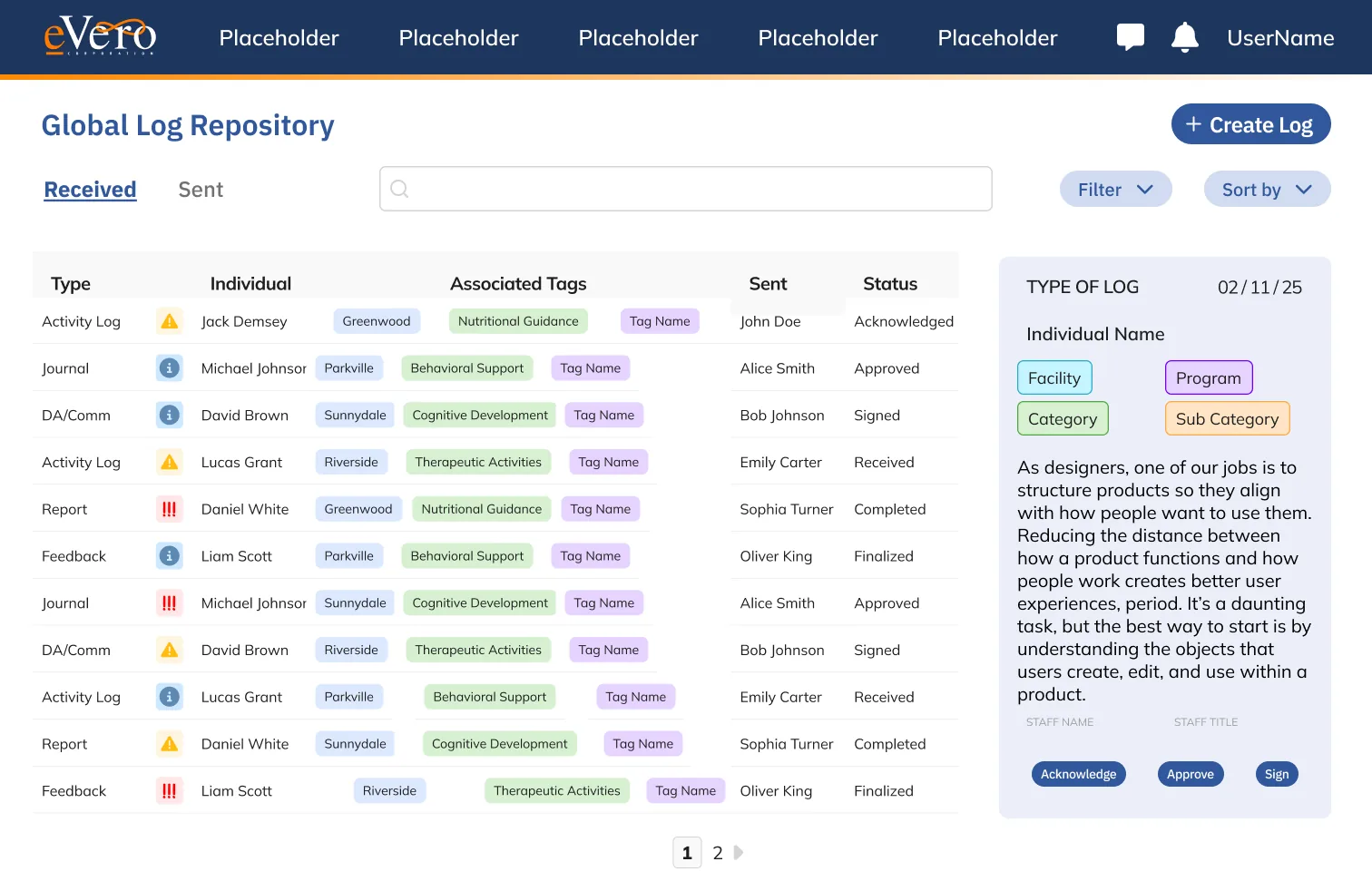
Reading a full entry used to mean leaving the list and losing your place in it.
04
Create Log
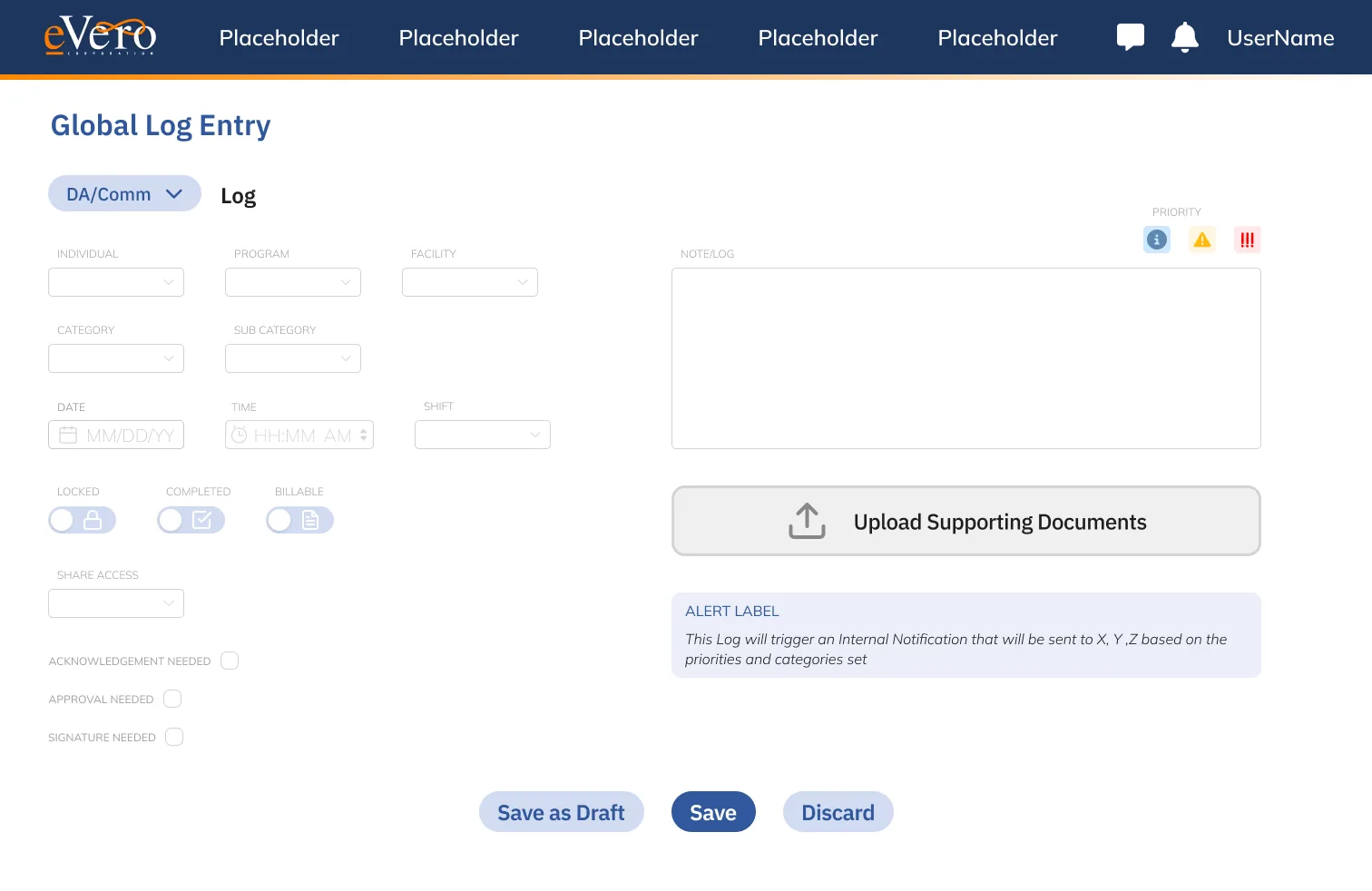
Entry required a long field list, most of it defaulted to the same value every shift.
05
Opened / Display Log
A logged note is evidence in an audit but printed like a memo.
Renewed & Rebuilt / 03
Case & Enrollment
8 legacy captures → 10 rebuilt screens in 5 frames · view and edit states share a frame
Before · enrollment management, 8 captures
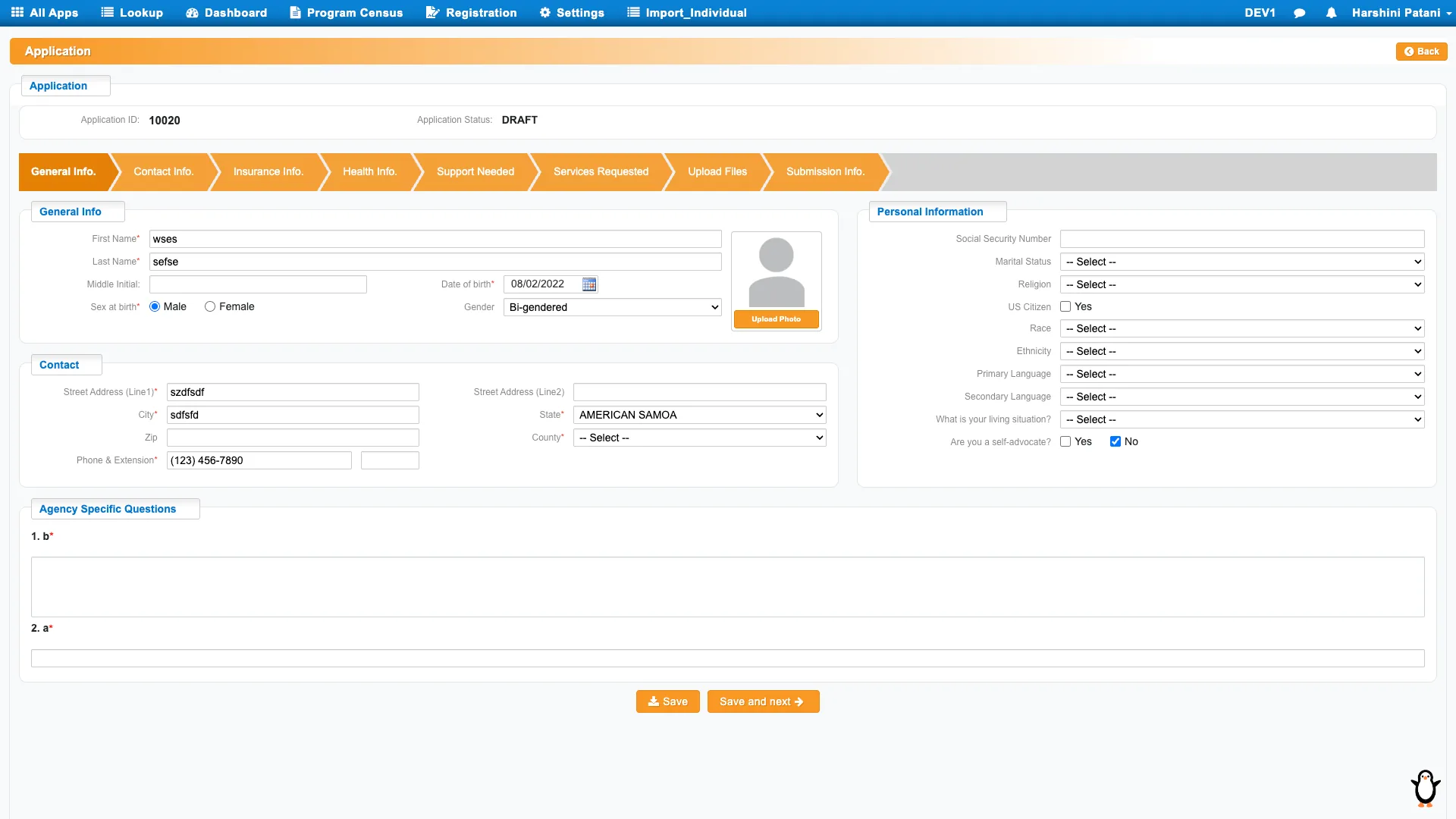
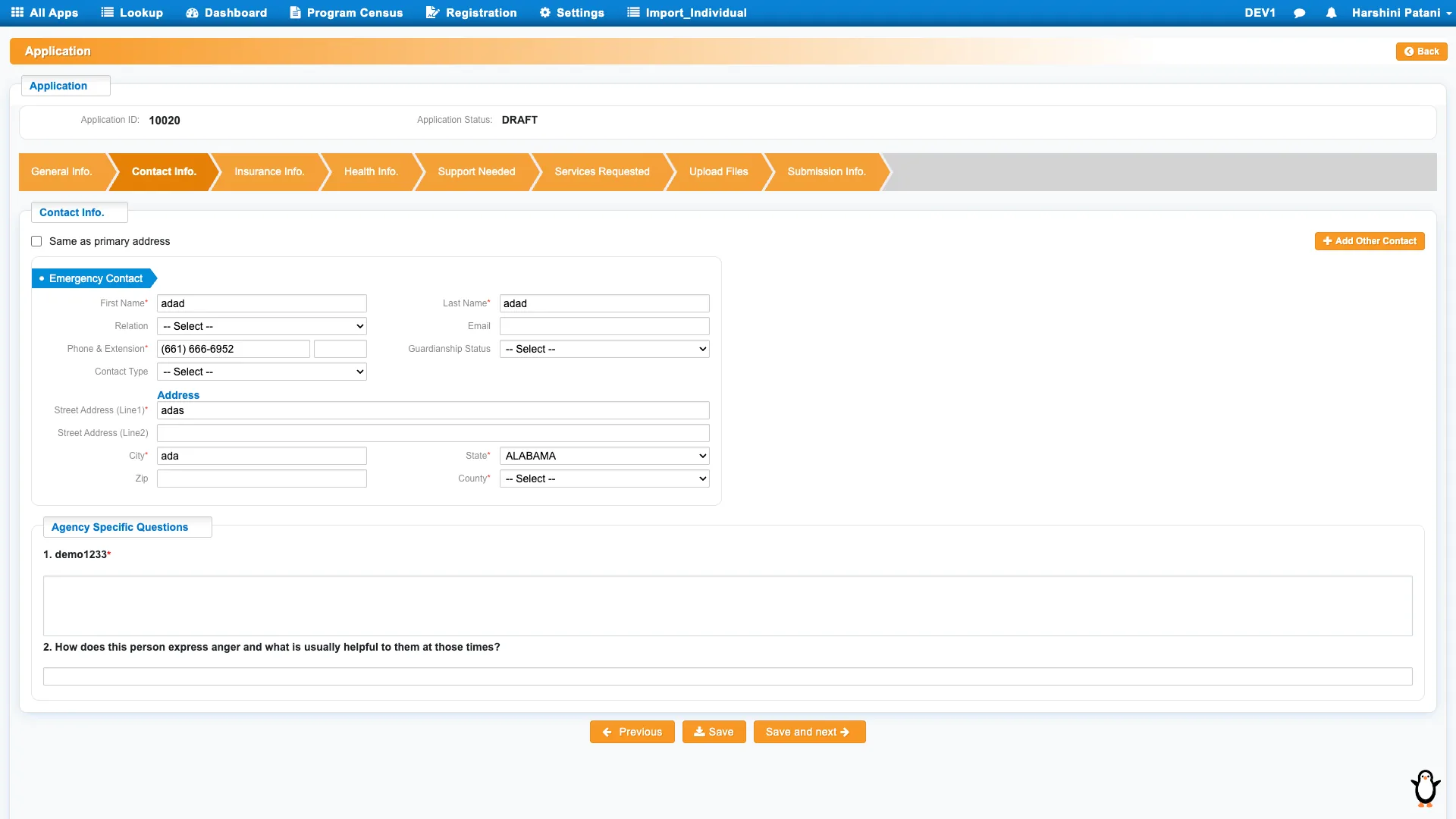
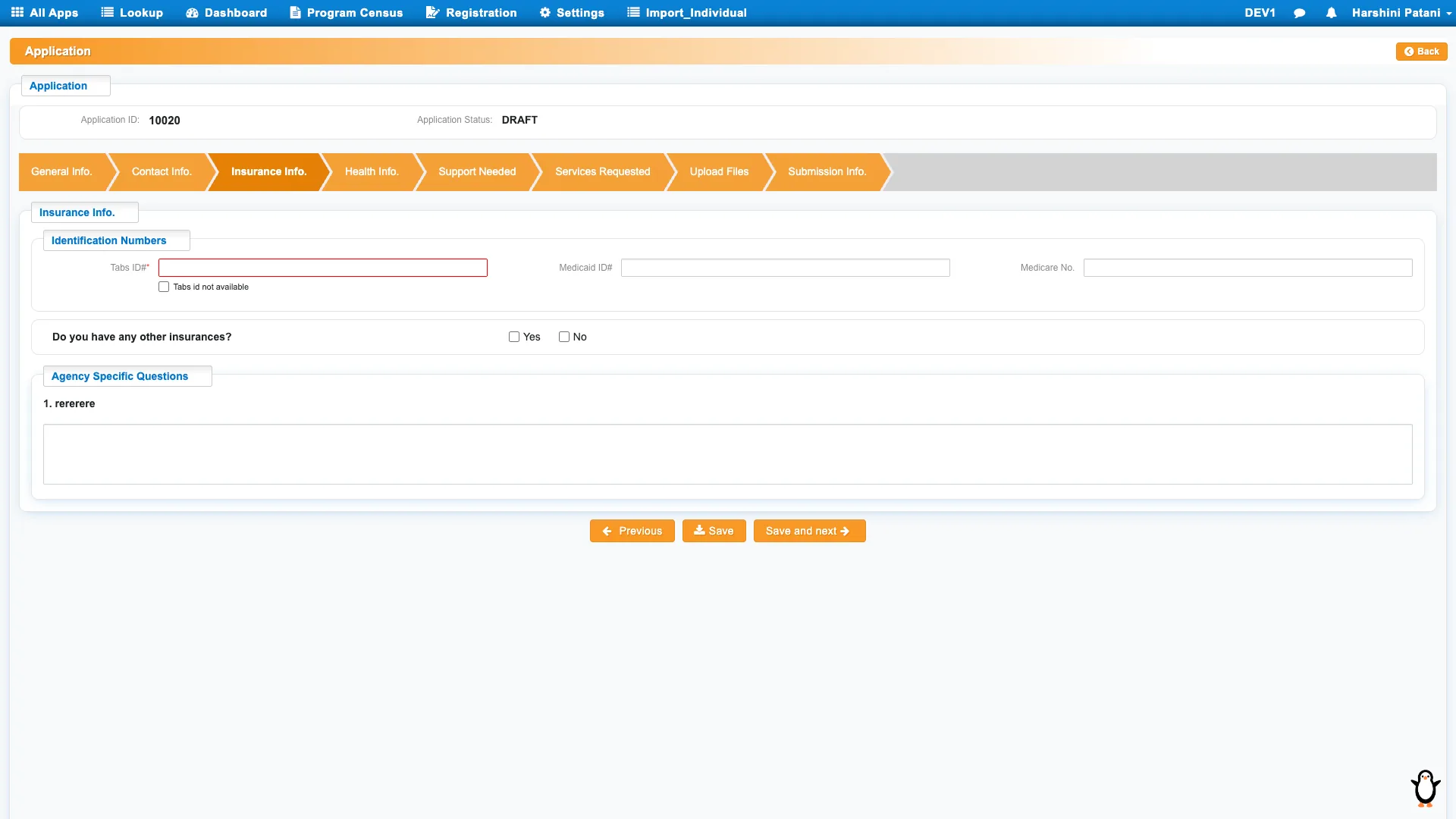
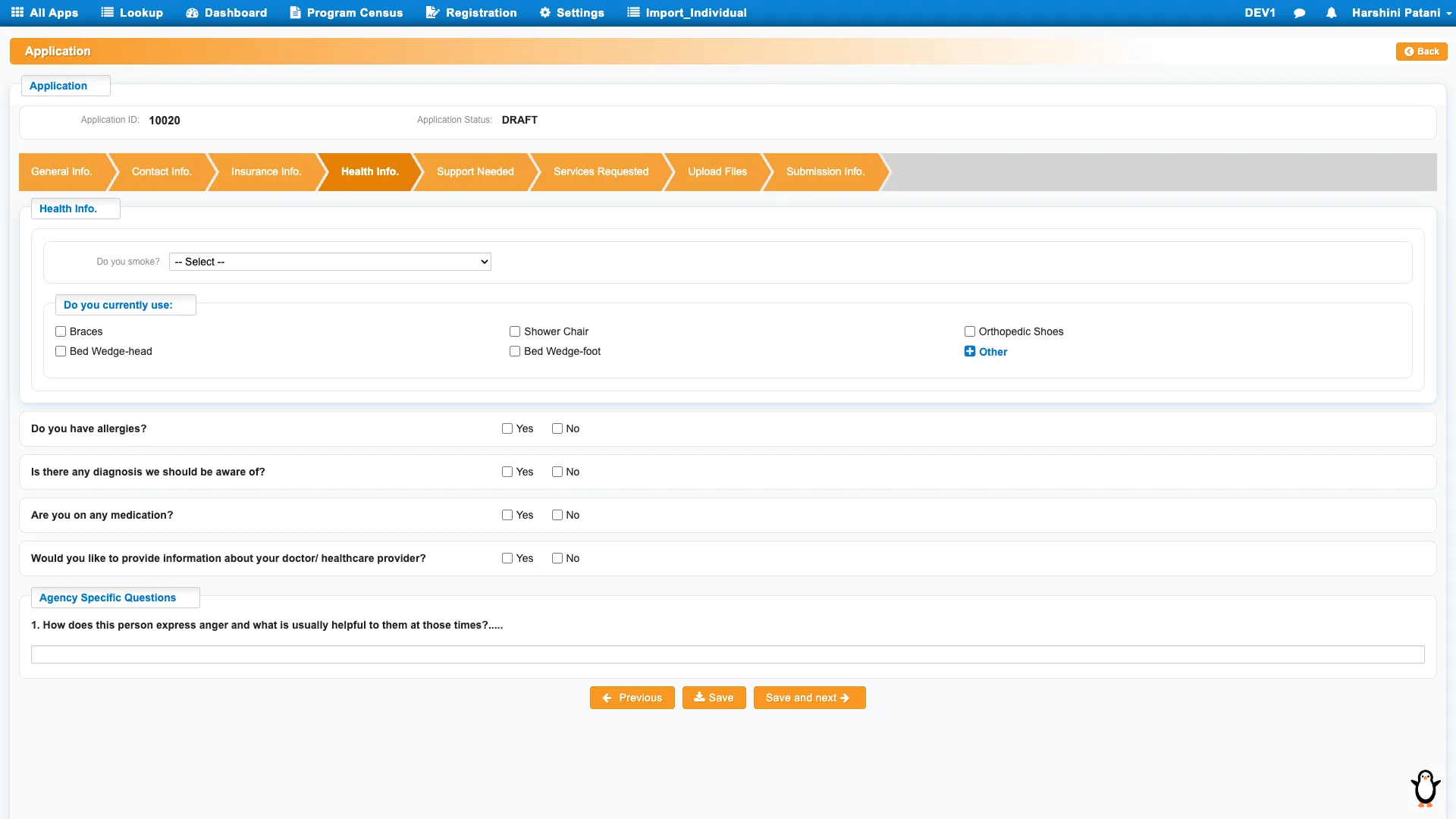
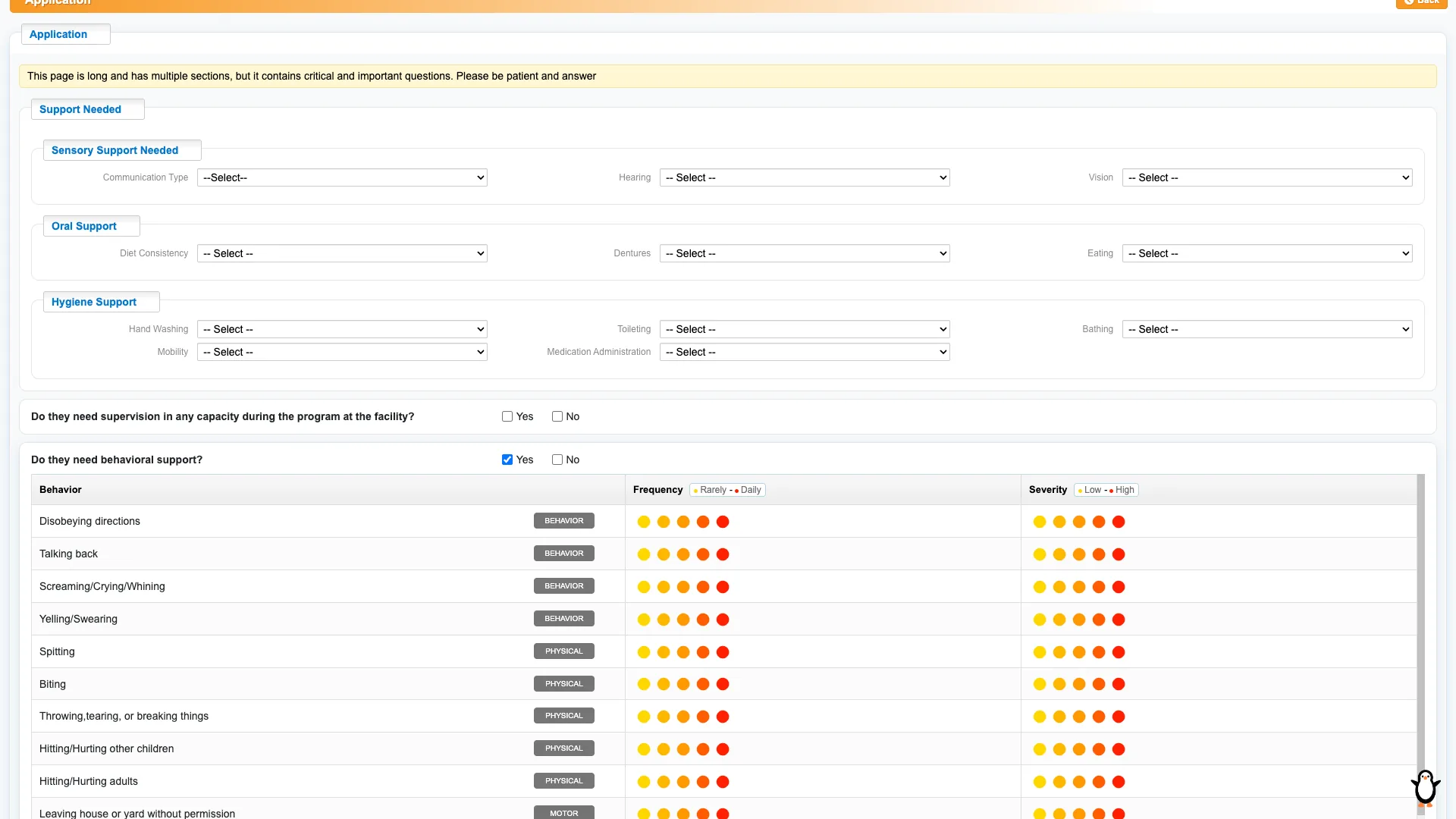
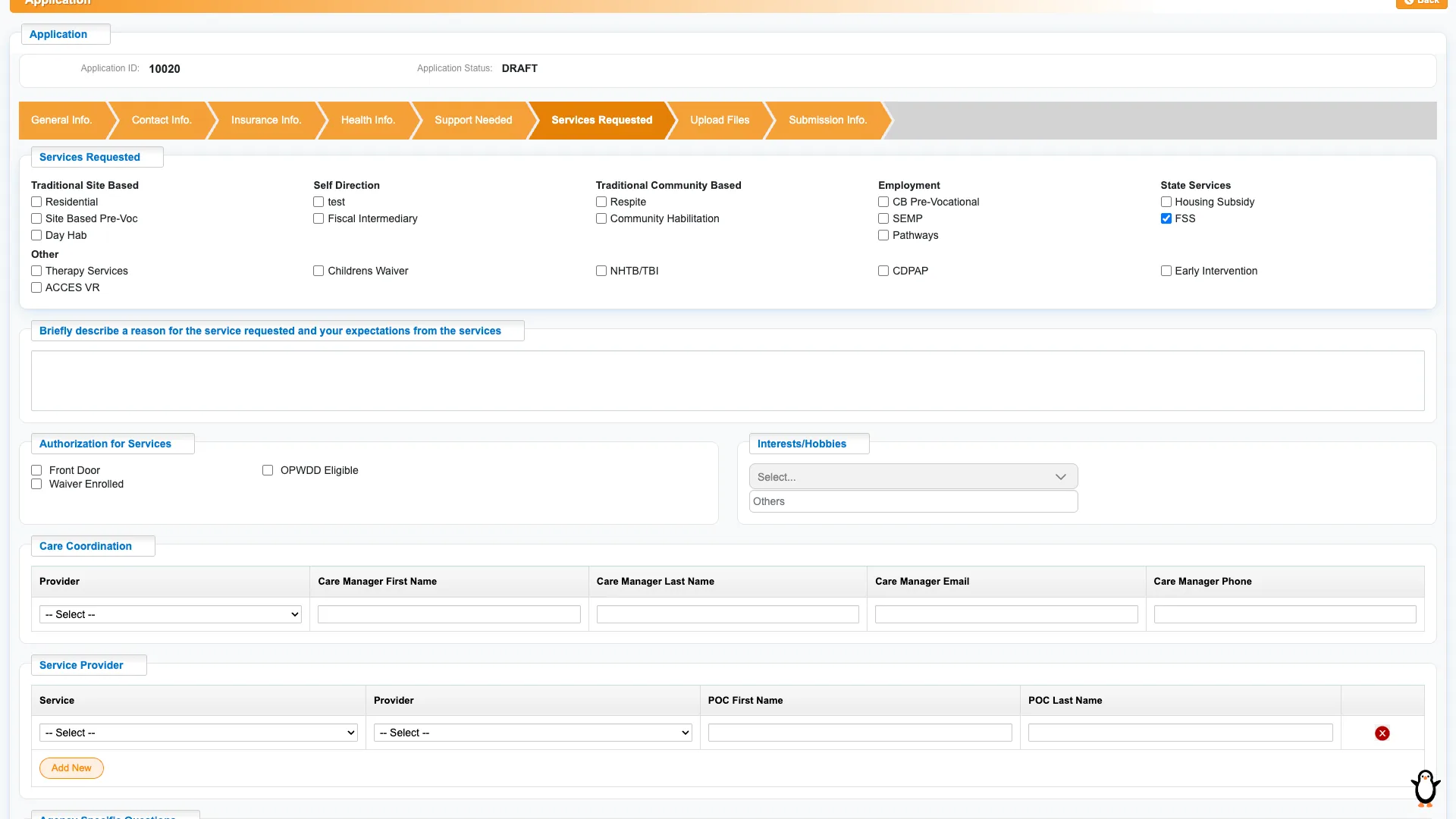
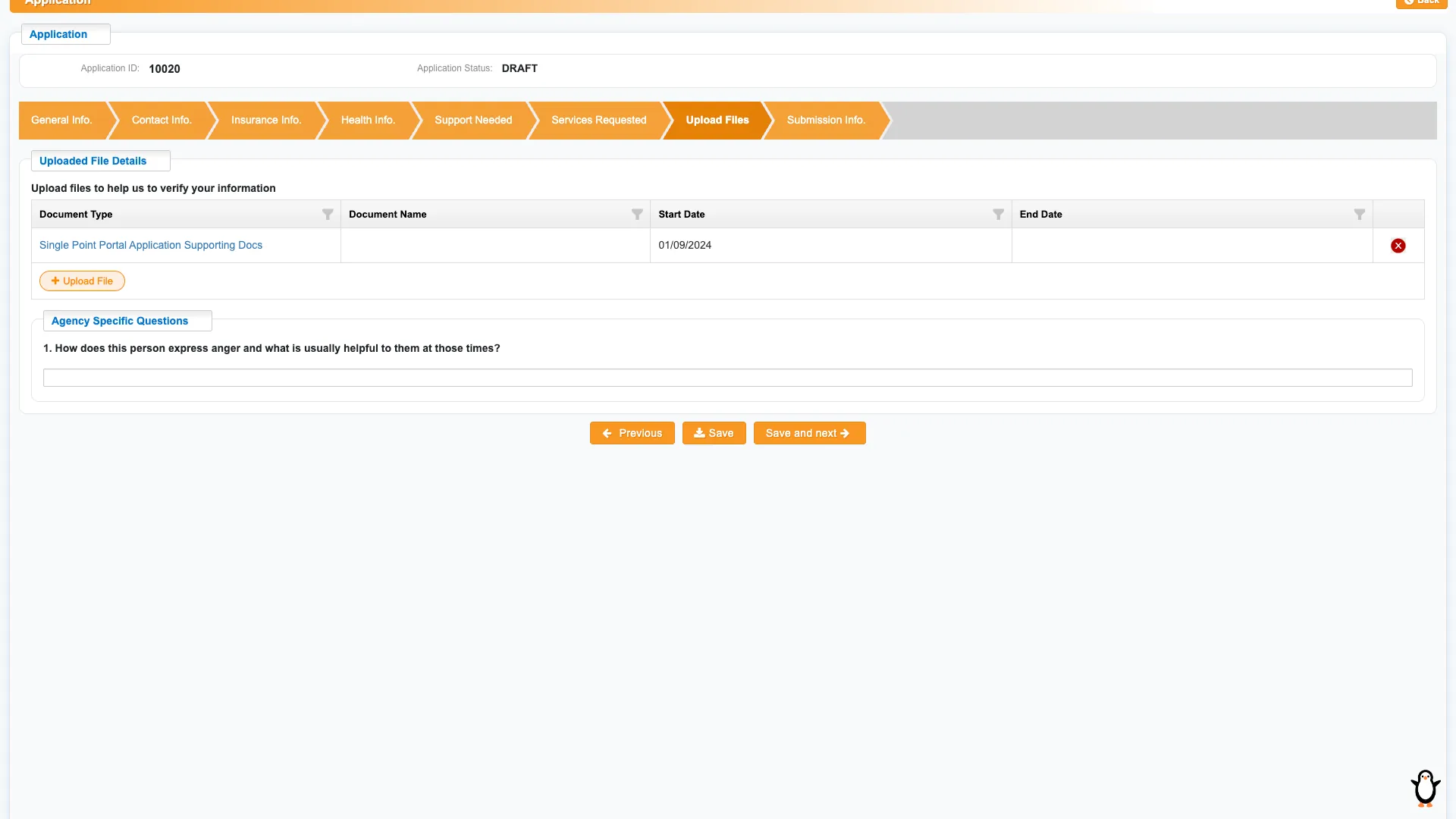
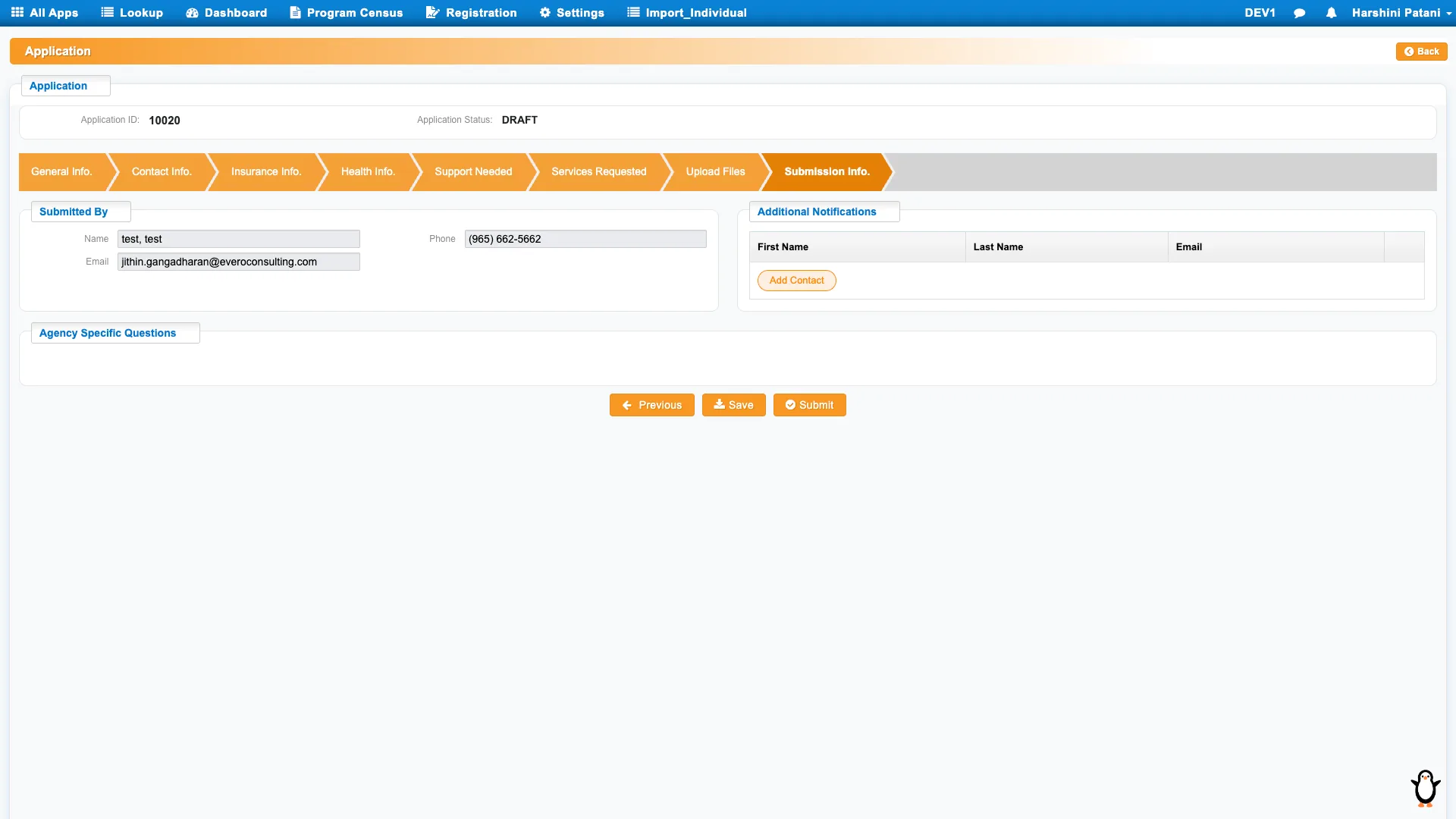
Case management and enrollment management were two modules asking for much of the same information, in long forms, through pop-ups nested in pop-ups and scrolling panels inside scrolling panels.
After · the patient record, one viewer
The two modules became one record. Repeated fields were cut, the rest grouped so the information that matters most reads first, and the nested pop-ups and scroll-within-scroll panels are gone. Details that lived in other modules are reachable from here, and the record is reachable from them. Ten rebuilt screens resolve into five frames, each with a view state and an edit state, so a coordinator can read without risking a change. Pick a frame on the left, then switch its state. Frames marked scrolls are taller than a viewport.
The record
The long forms
Finding people
General Information
Allergies & conditions
Medical detail
Health Info
Person search
Single state
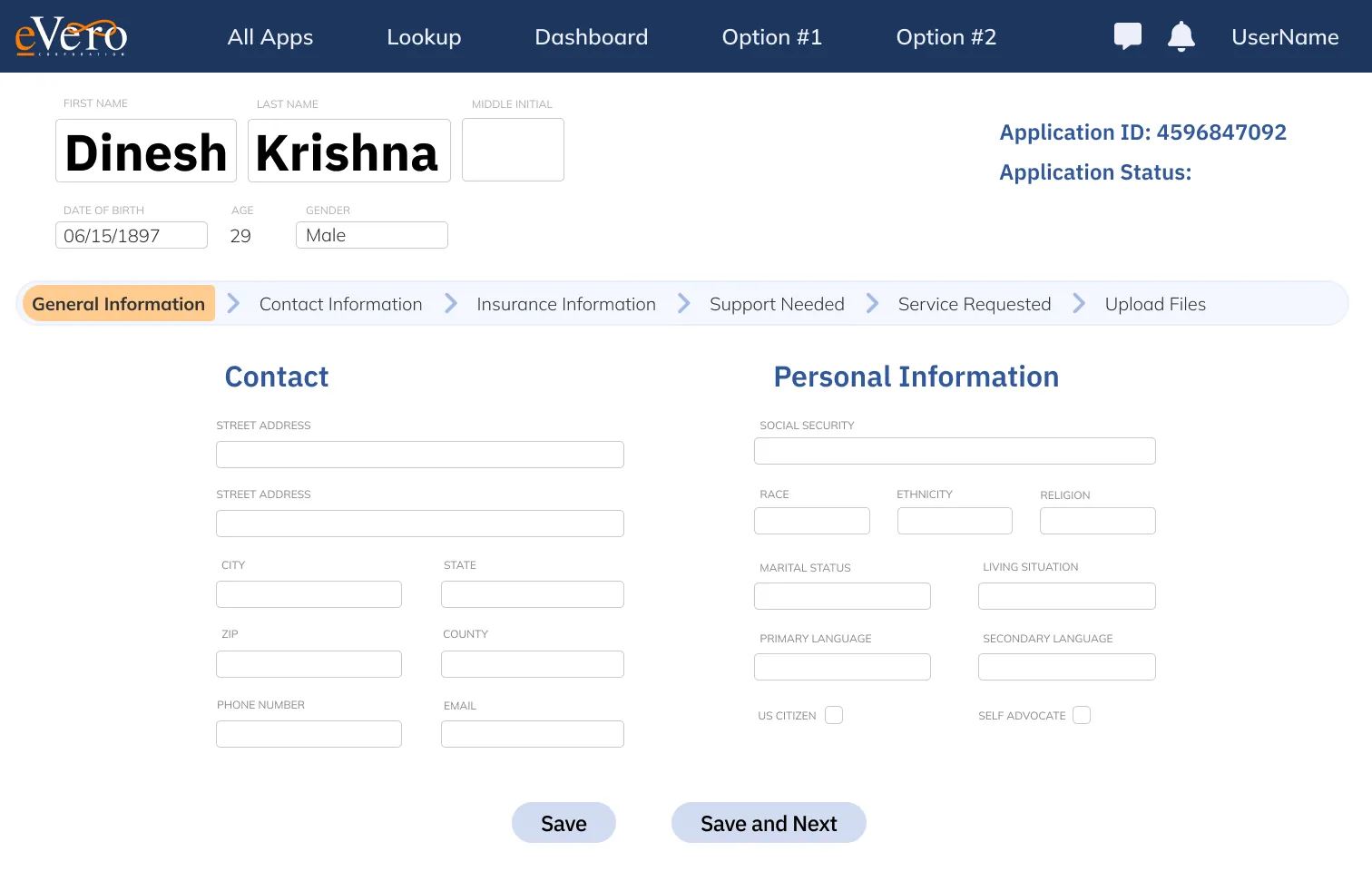
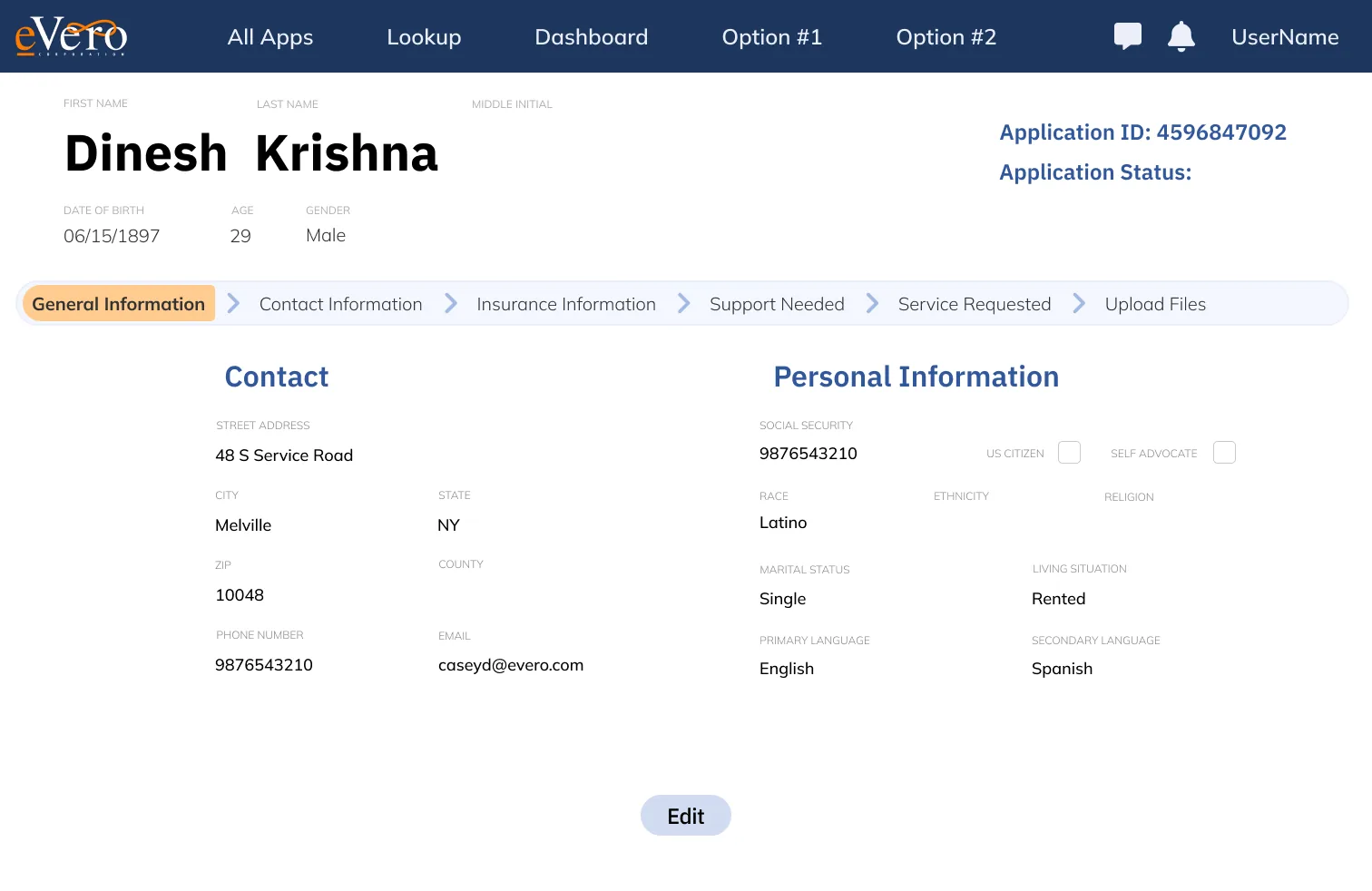
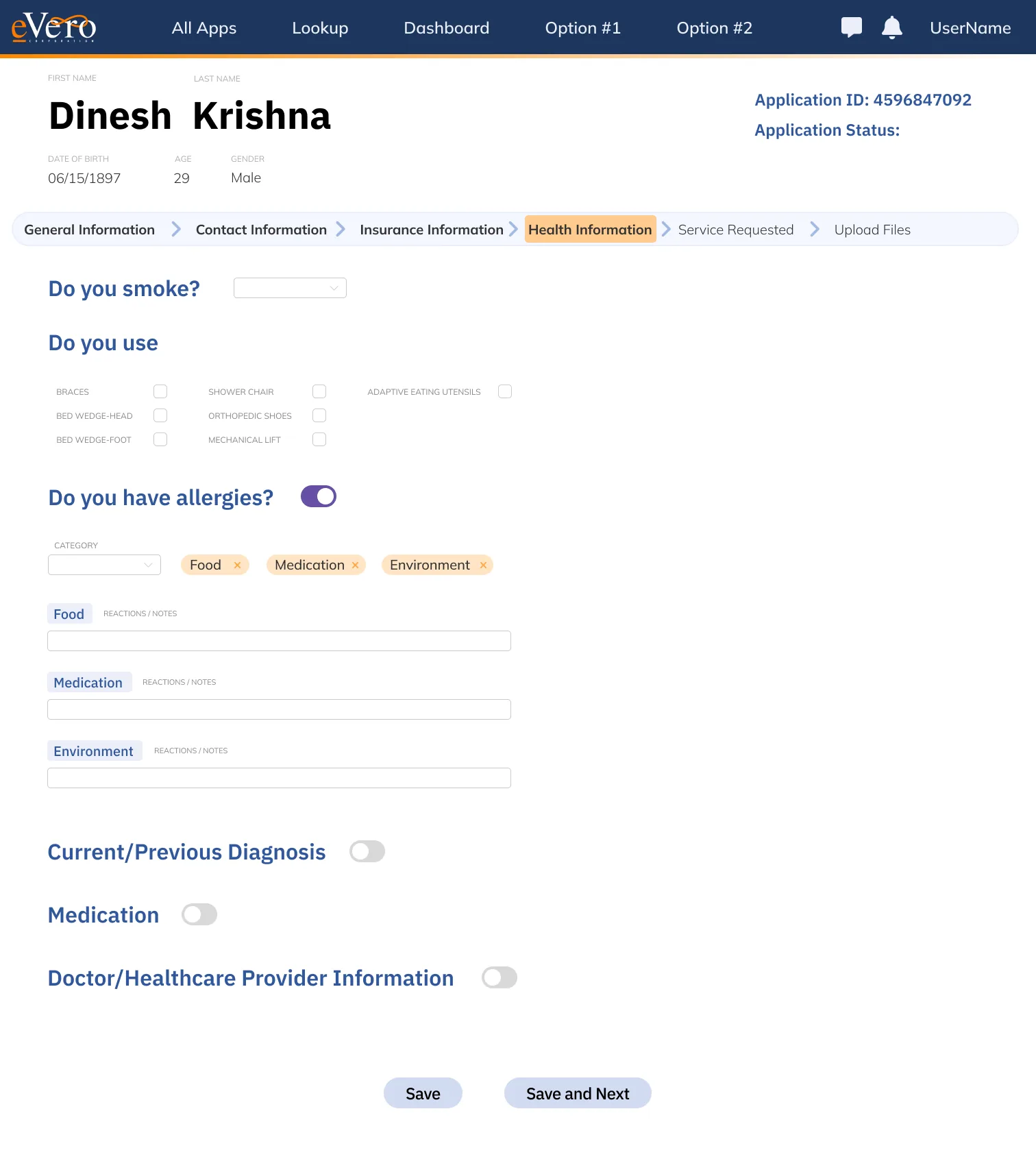
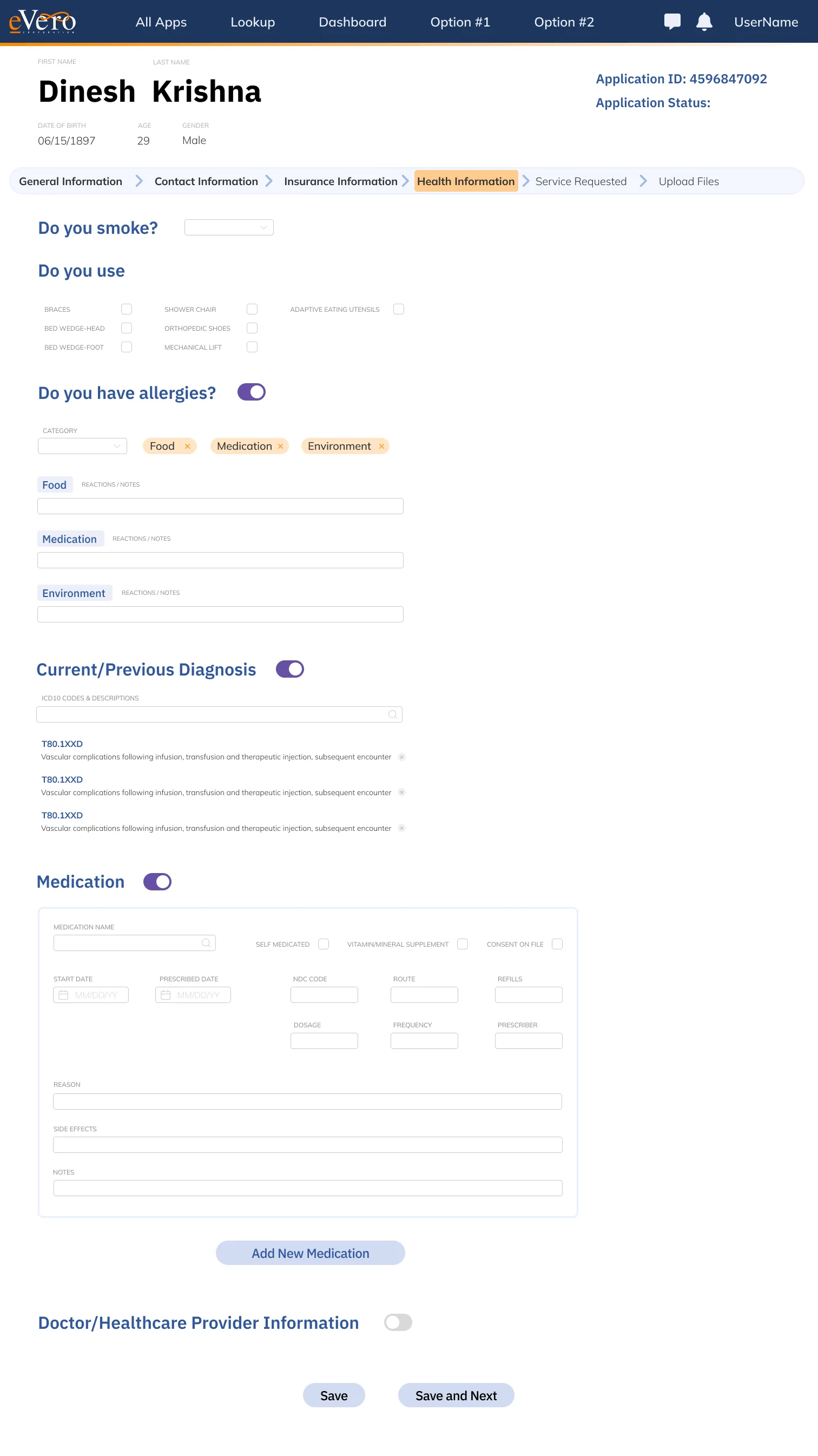
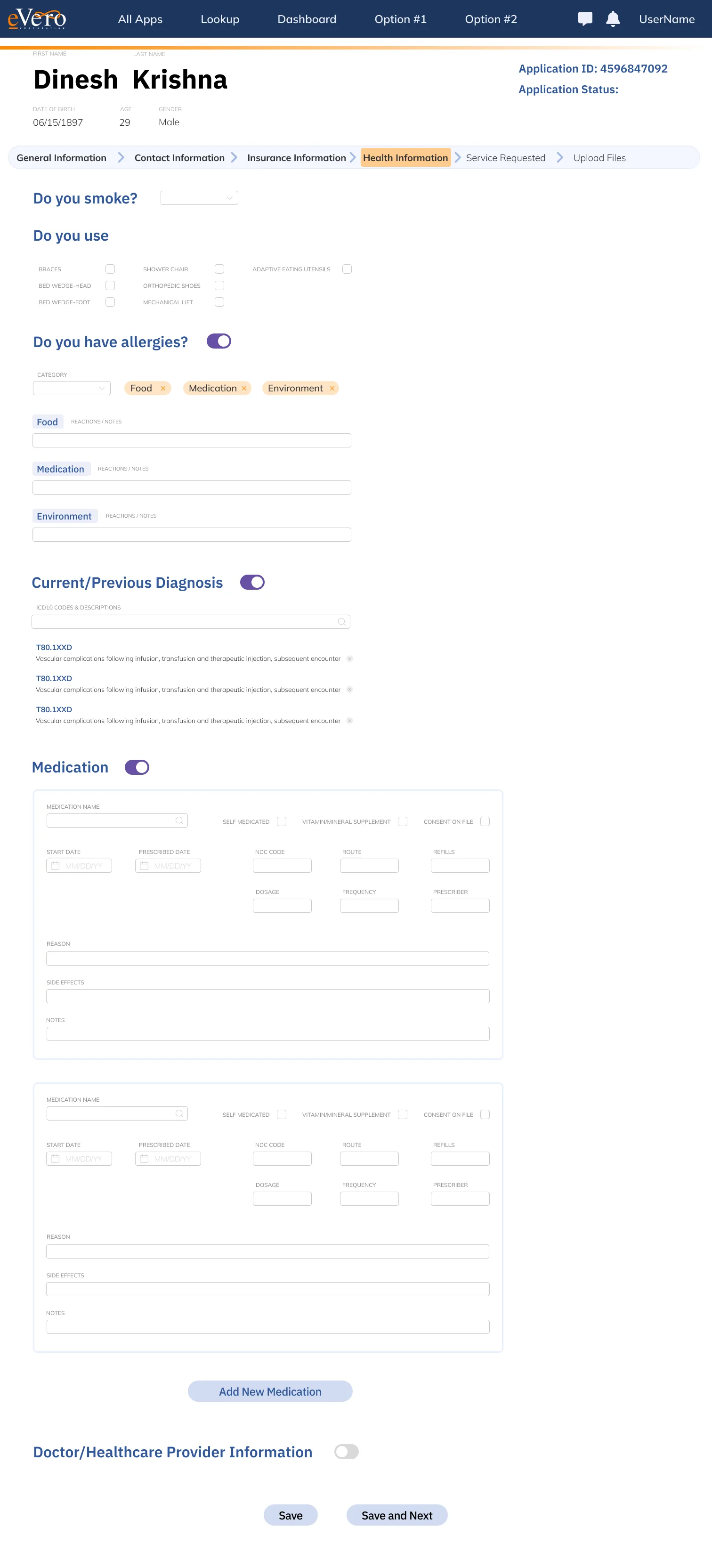
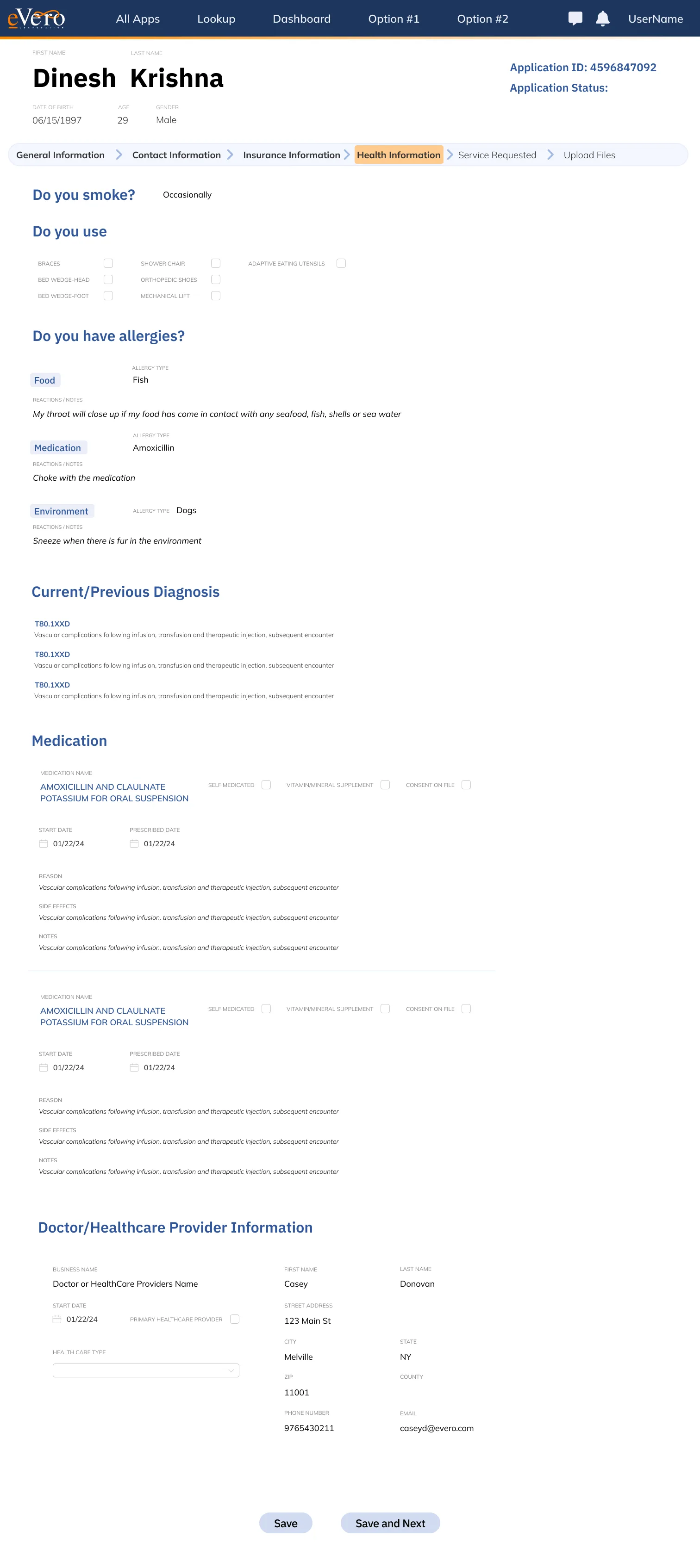
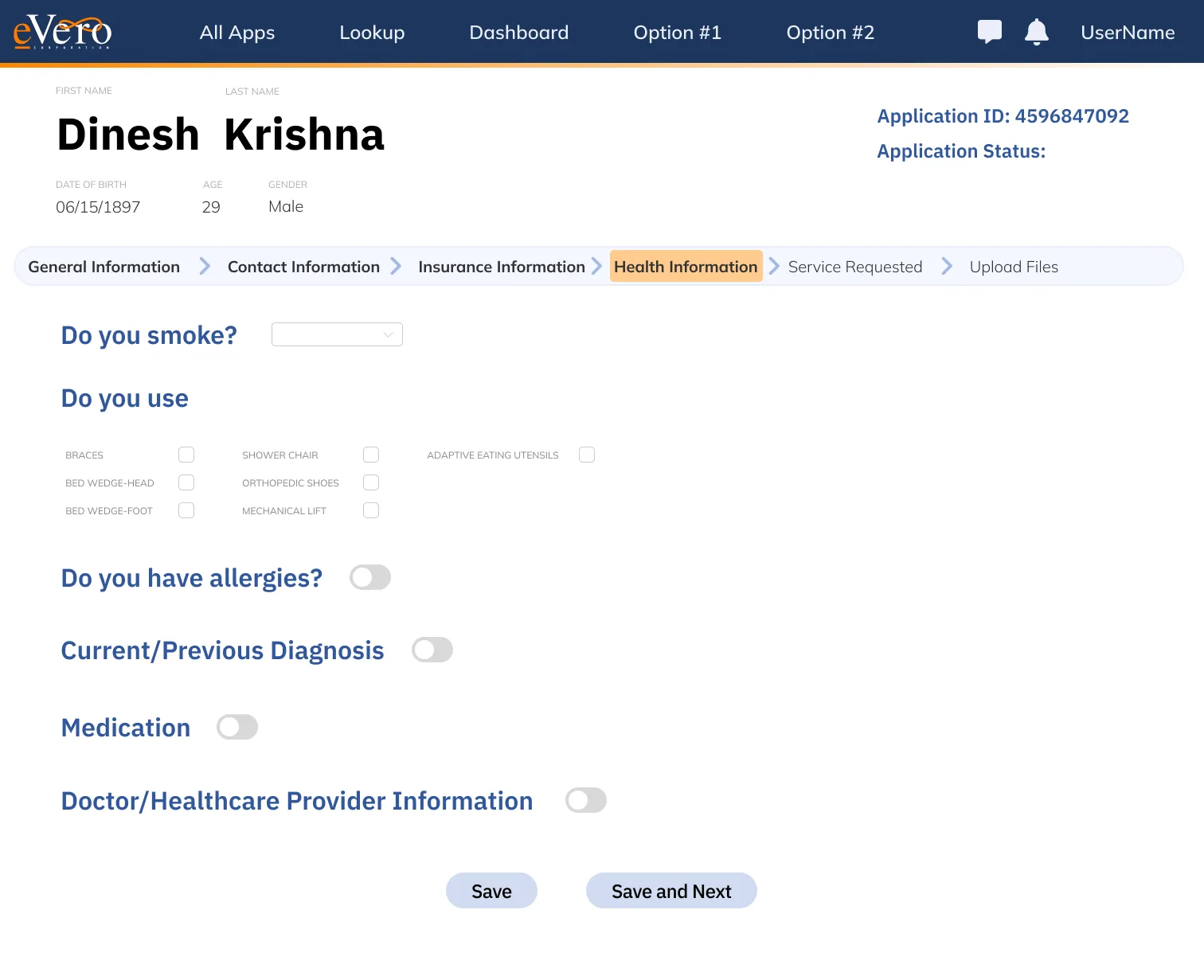
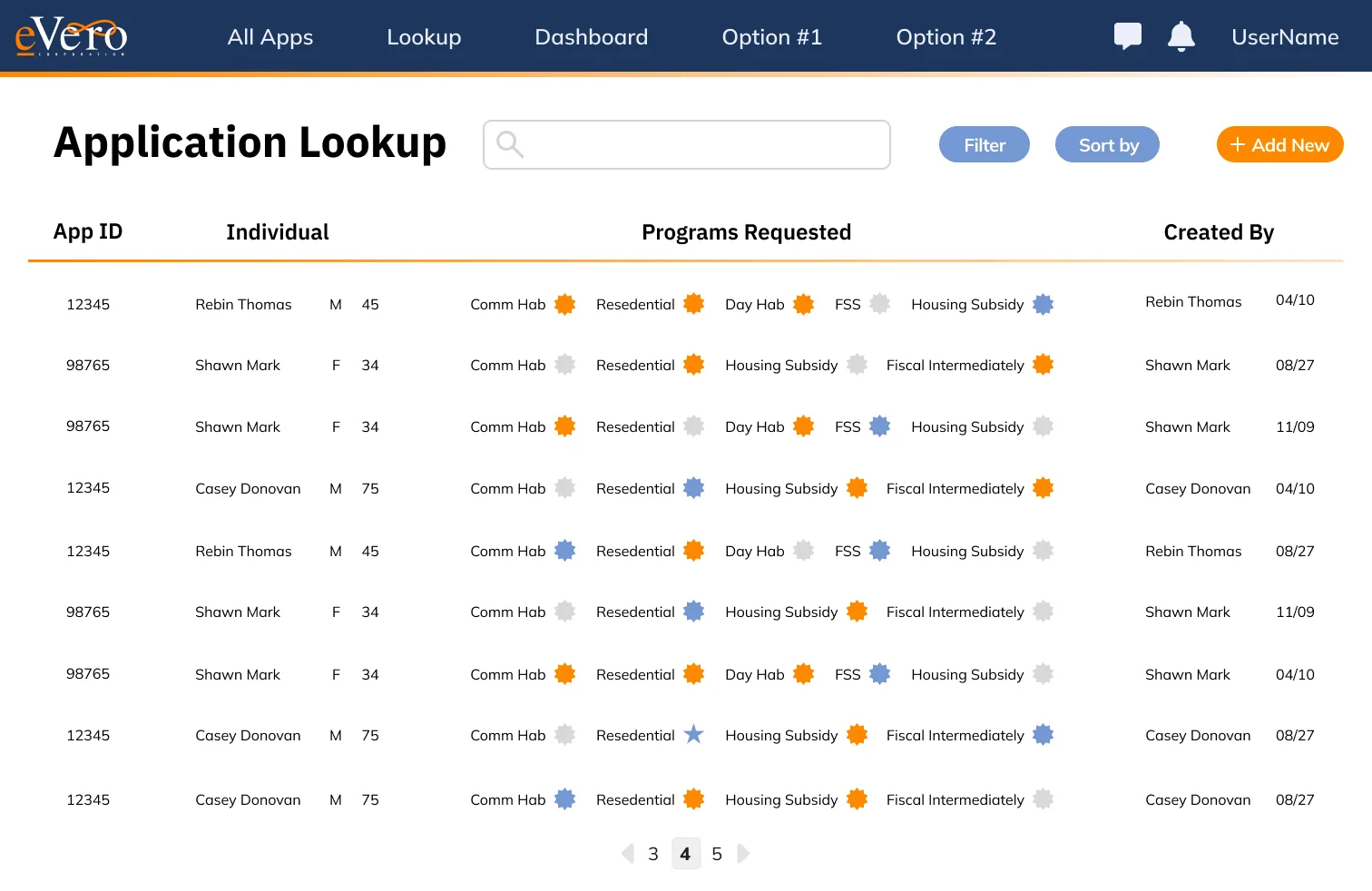
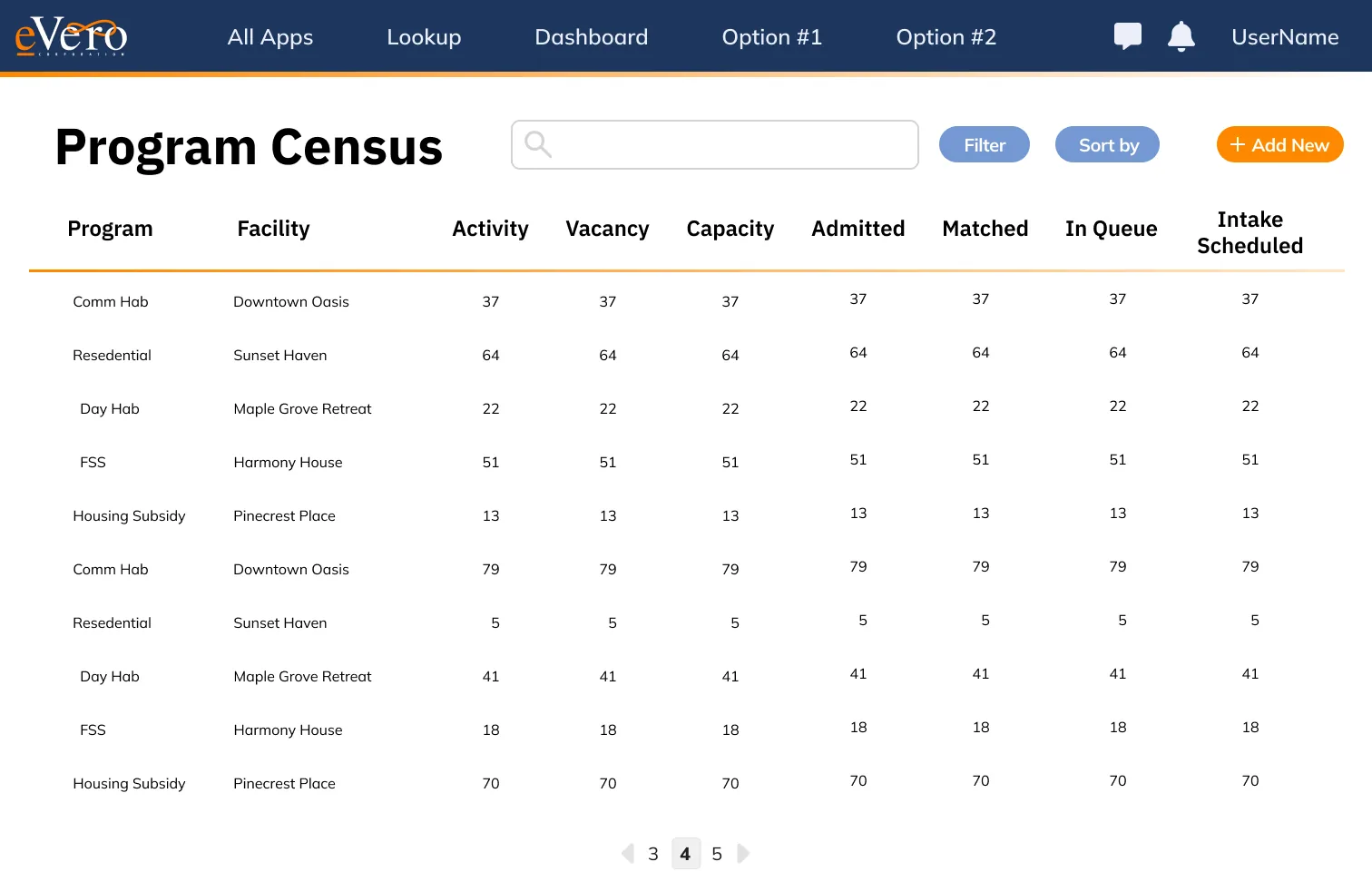
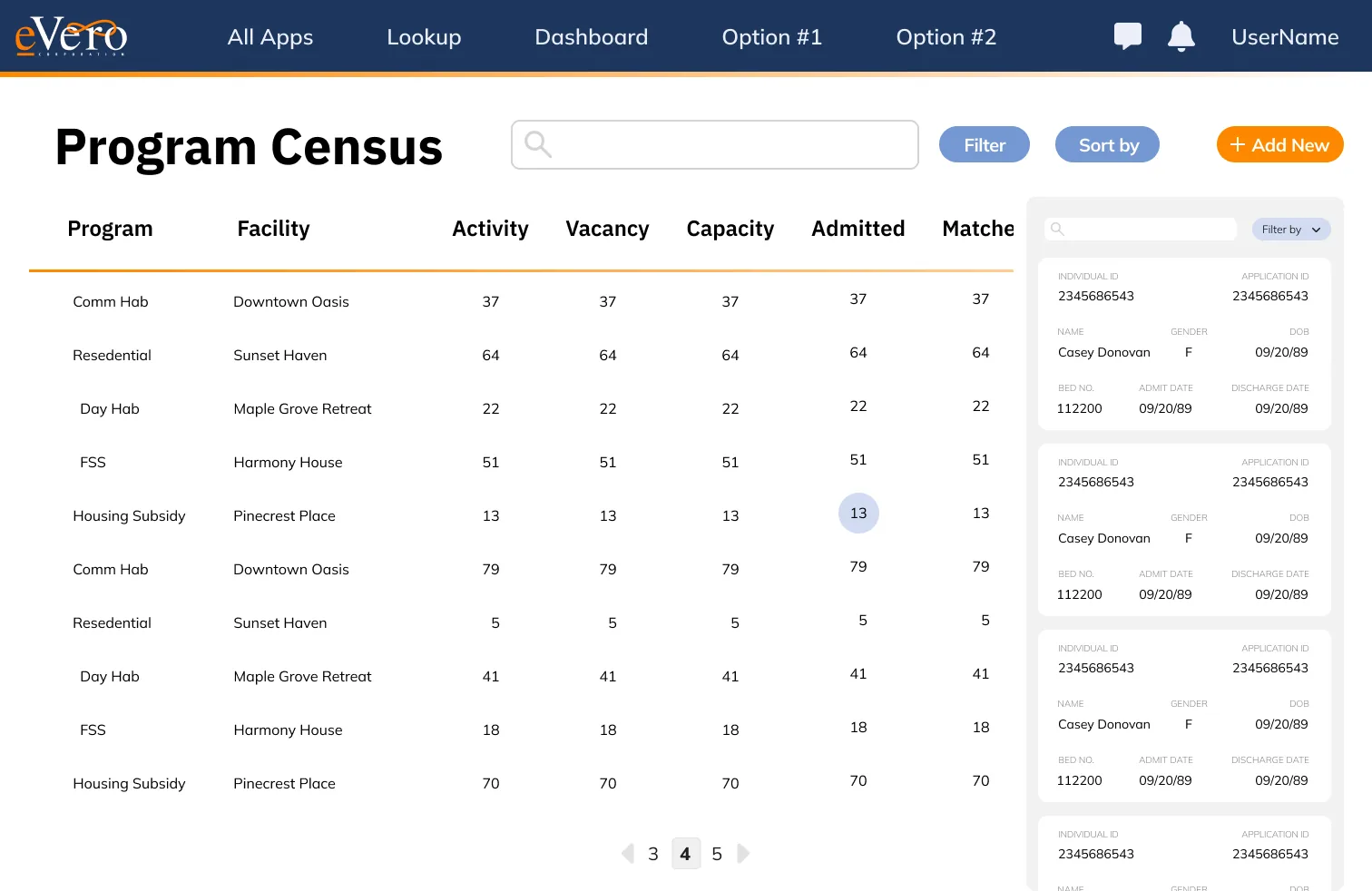
General Information. Reading and editing are the same screen. Fields change in place instead of opening a pop-up.
Allergies & conditions.
Medical detail. One form, two states: collapsed on open, expanded once a section is switched on. It stayed one form — fields were cut and grouped rather than split into steps, so the whole record stays in view.
Health Info. The tallest frame in the set.
Person search. One table component, three configurations: full width, paginated, and paired with a detail panel.
Renewed & Rebuilt / 04
Education & Training
eVero Ed: 1 before/after · eVero U: working prototype, 3 roles
Two products. eVero Ed is the documentation platform — guides, videos, webinars and release notes for learning the system. eVero U is the training layer: assigned courses, progress tracking and a course library, for staff and the managers who assign their training.
eVero Ed · documentation
01
eVero Ed, before → after
drag to compare · scroll the frame
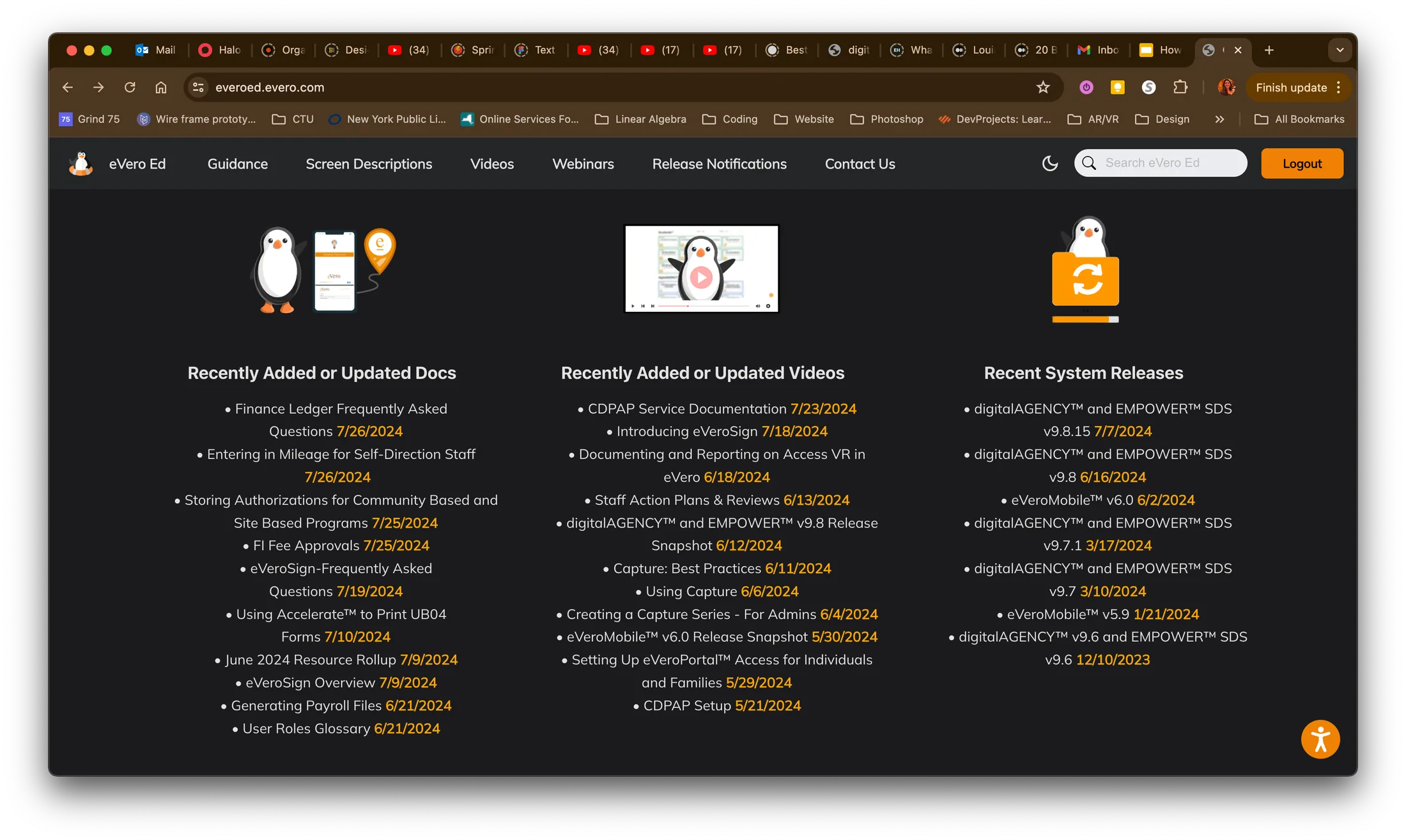
eVero Ed, before. Three lists side by side — recently updated documents, recently updated videos, release notes. Nothing about what a person had already opened, or where they stood in their training.
The home screen now opens on what you last viewed, so you can pick up where you left off. Below it, one list of new and updated documents, videos and guidance, told apart by colour instead of split into columns; then the latest release, and a summary of your progress in eVero U.
eVero U · training
Working prototype
Four surfaces, three roles
A four-item nav — Home, My Assignments, My Progress, Learning Library — serves learners, learning managers and agency admins alike; what changes is what each role can do on the same screens. Learners add and drop electives but can’t remove what a manager assigned. Learning managers assign courses one at a time or in bulk, and see their staff’s progress. Agency admins also upload courses, curate learning paths and certifications, and publish revisions.
This is the working prototype. Switch roles from the orange pill in its header.
Learner · Learning Manager · Agency Admin
Open full screen ↗
Renewed & Rebuilt / 05
Visit verification & billing
8 rebuilt screens in one viewer · no legacy capture in the source file
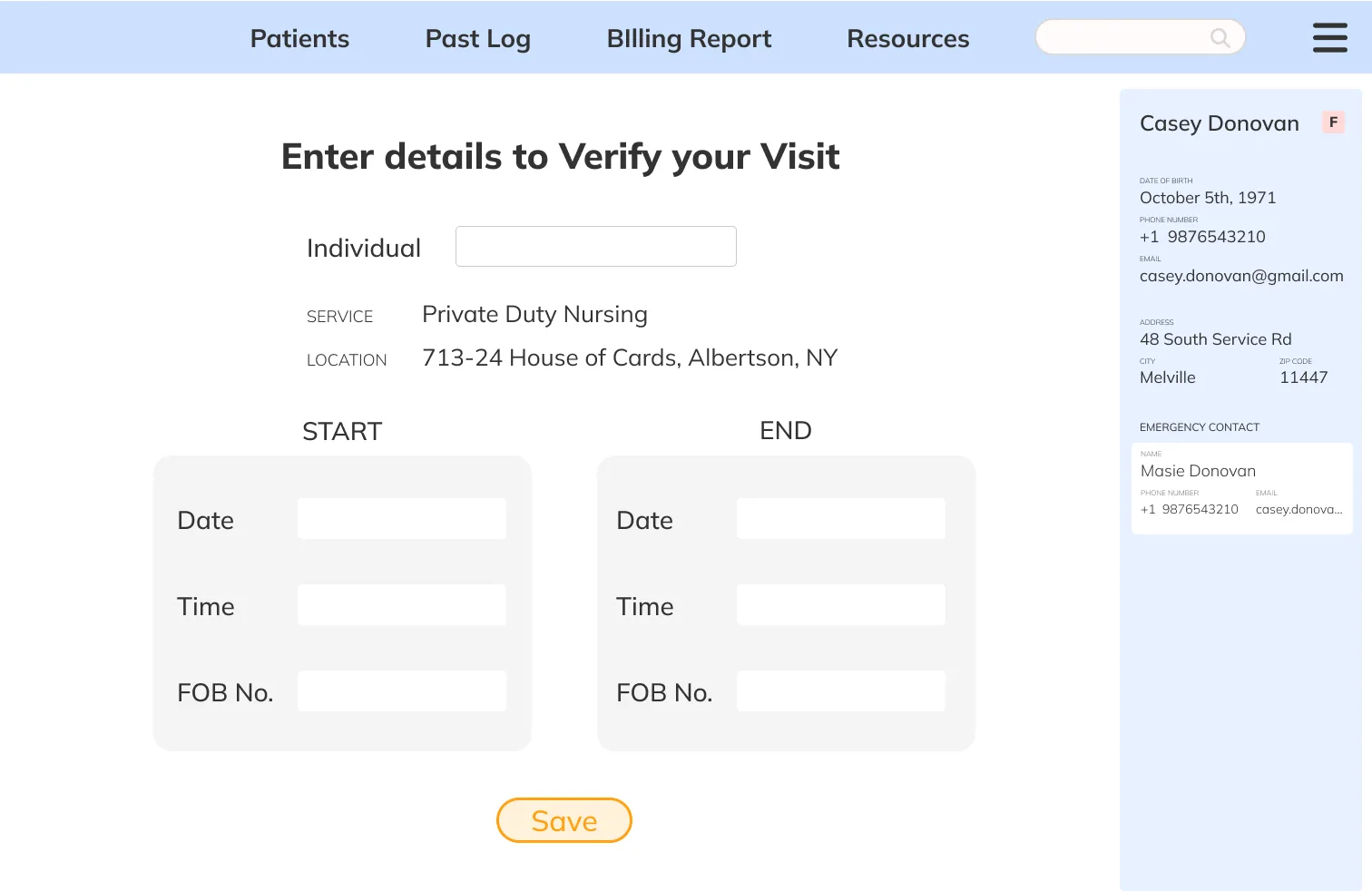
Electronic visit verification runs on a clock and a location, both of which have to be defensible months later.
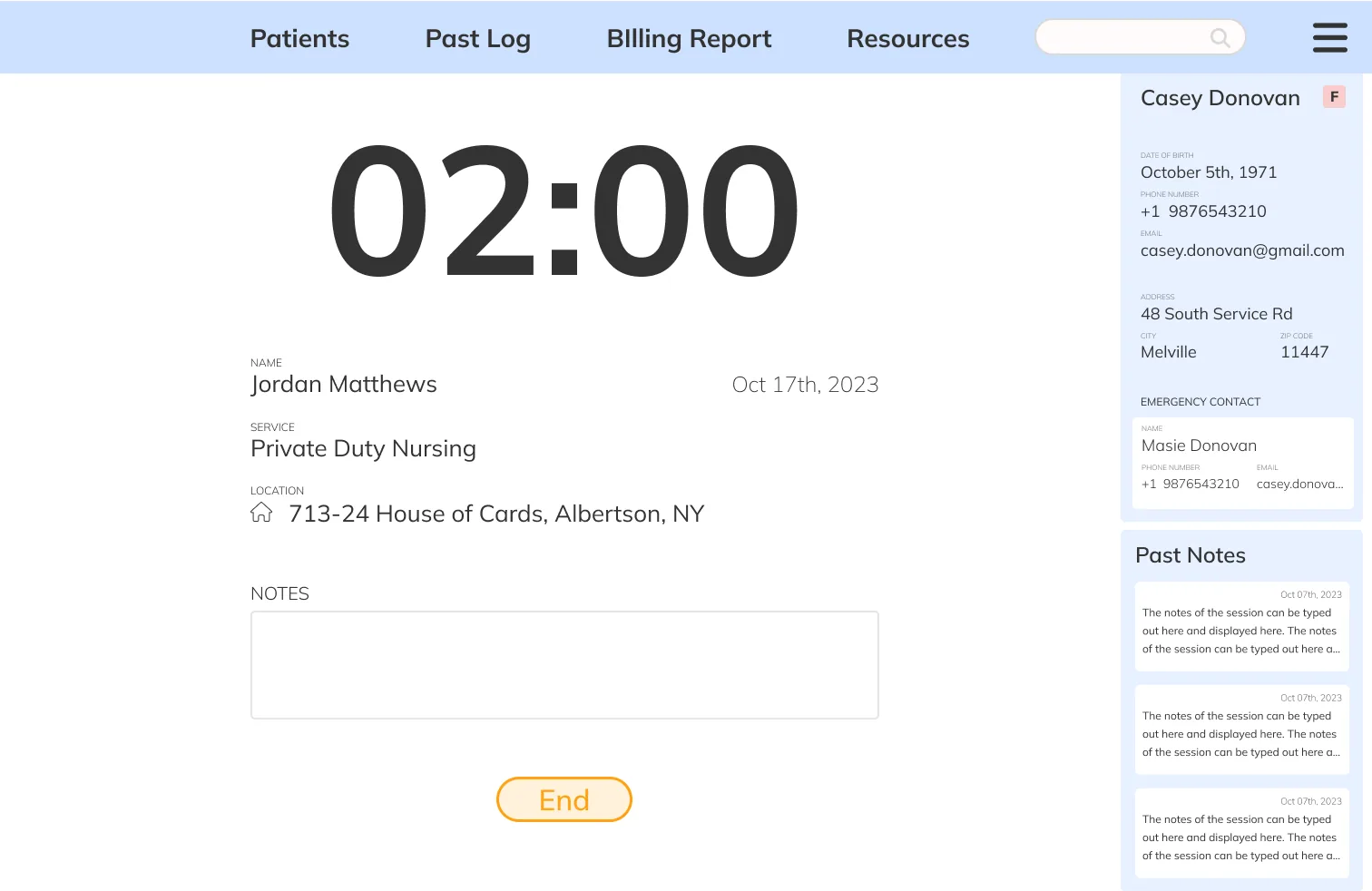
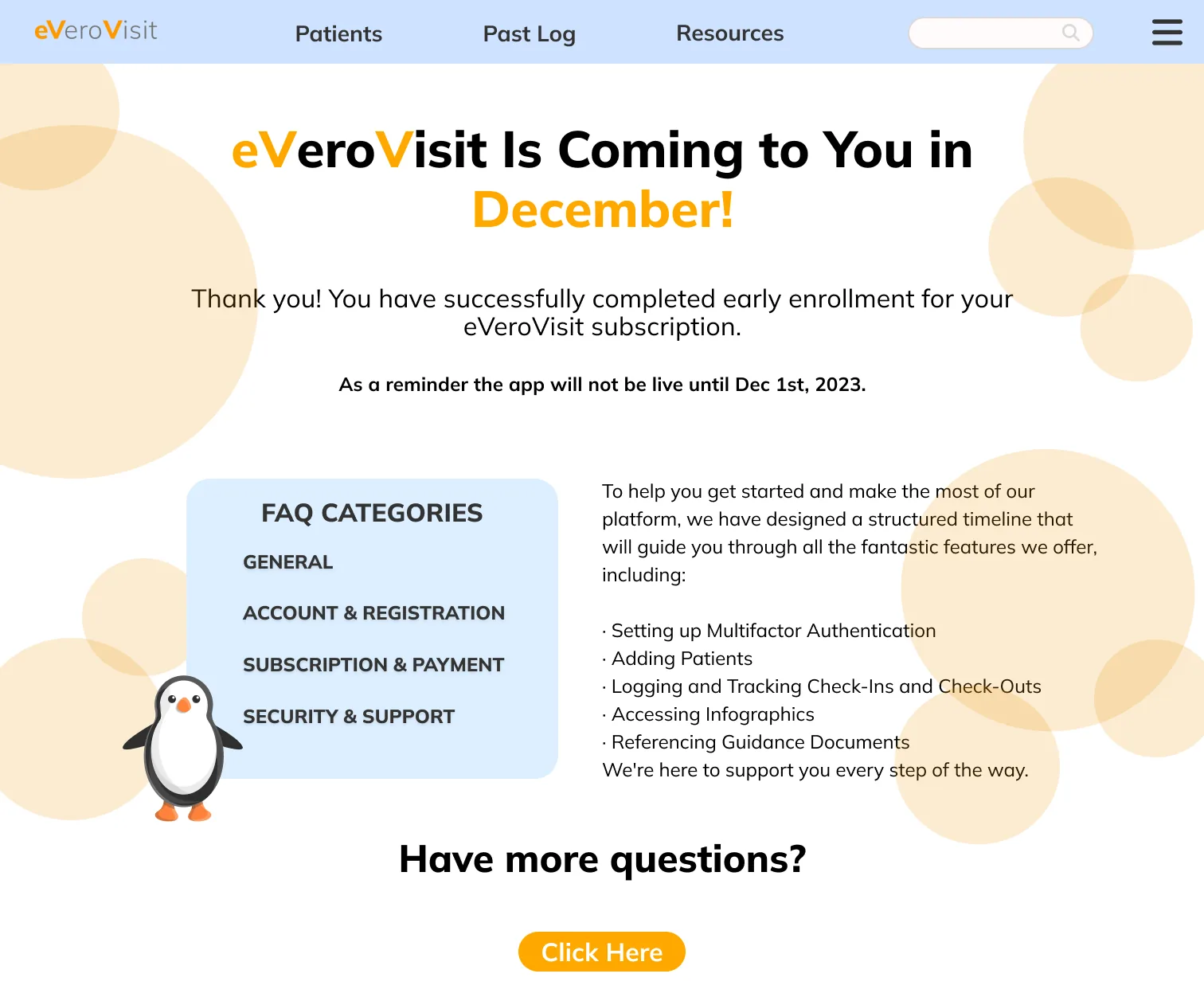
EVV Action Start. What has to be true before a visit can start.
FOB verification. The fallback when there is no signal: a device code stands in for the location check.
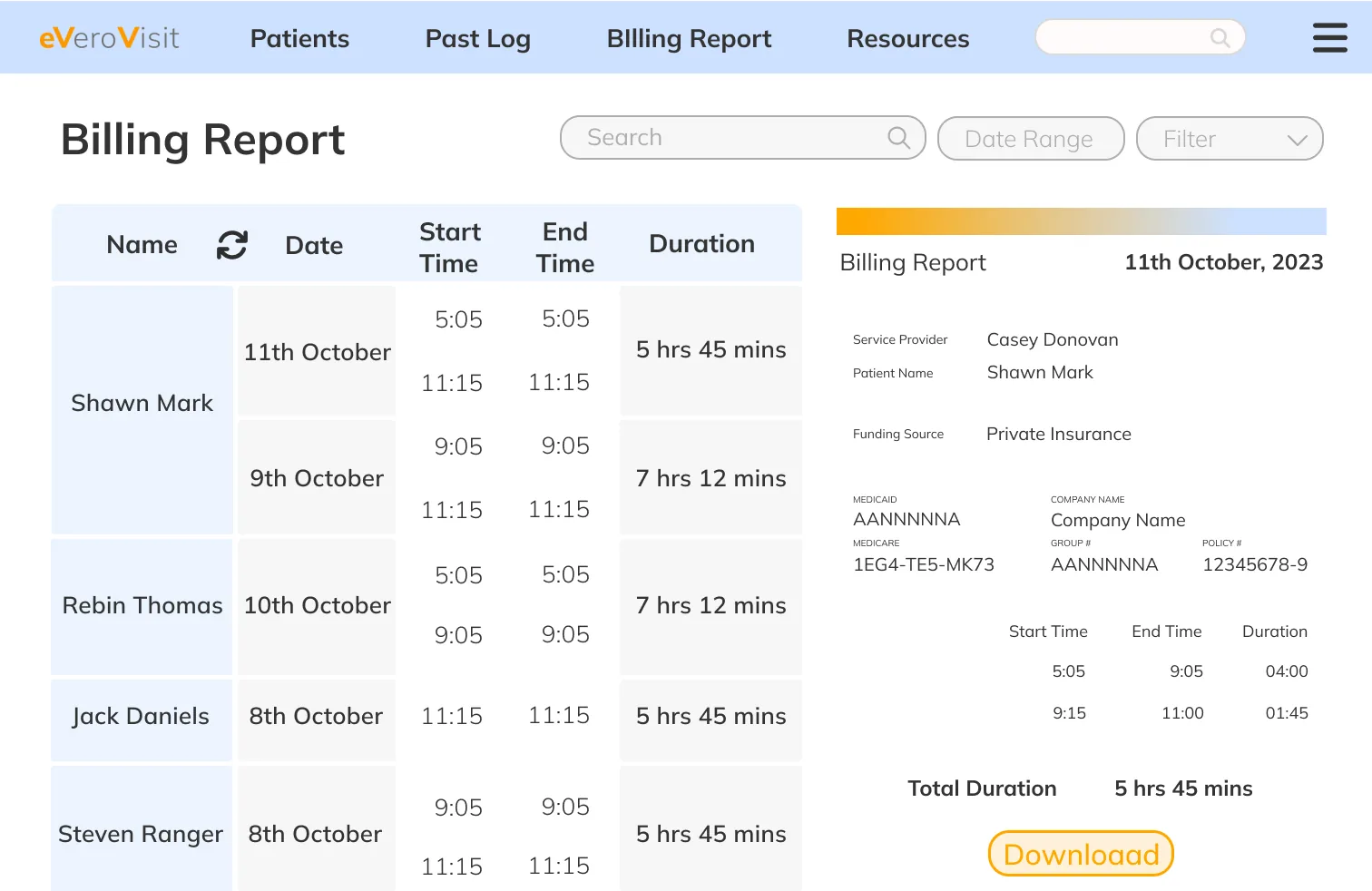
Billing Report.
Payment.
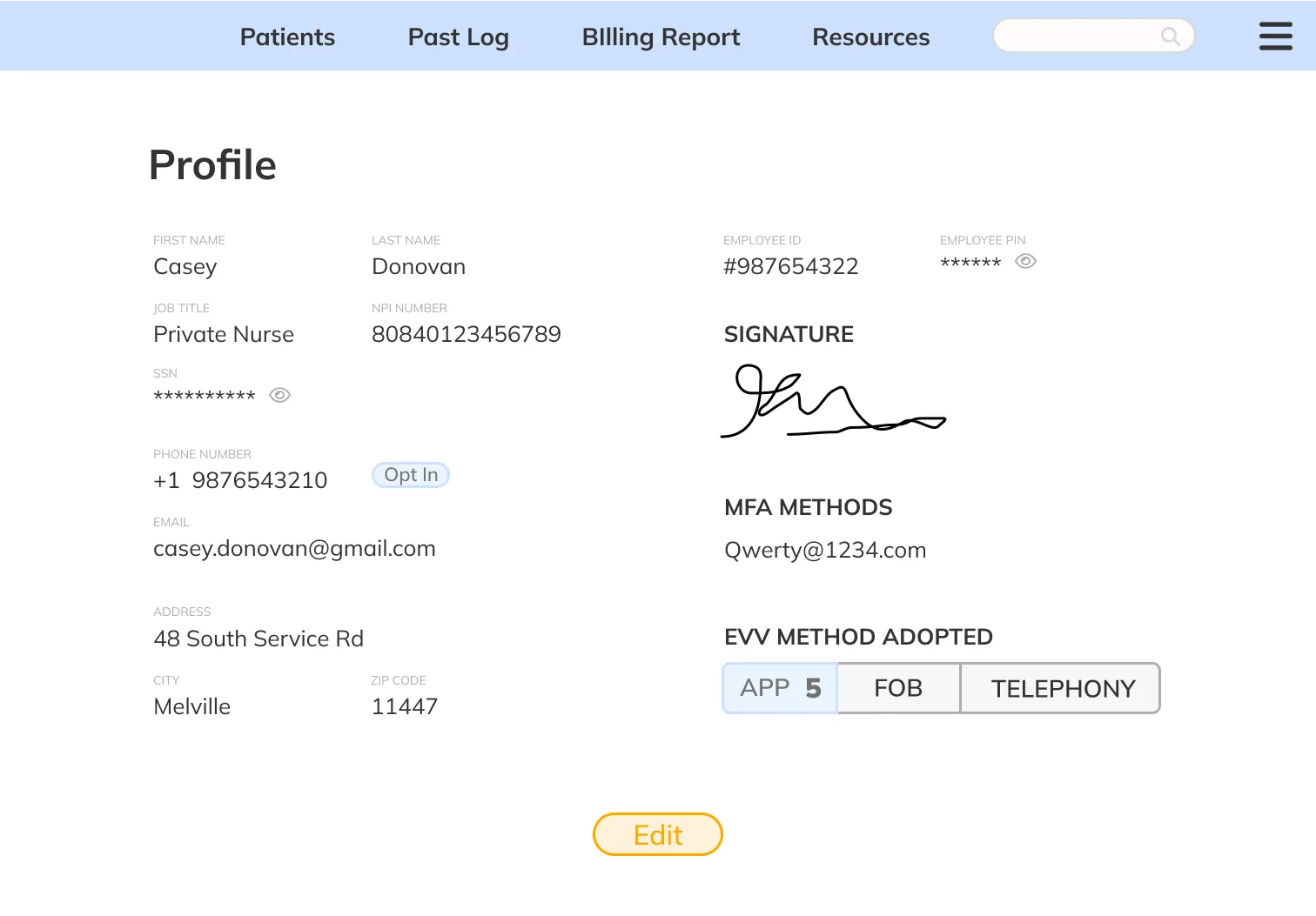
Profile View. Multi-factor settings sit with the profile rather than in a separate security area.
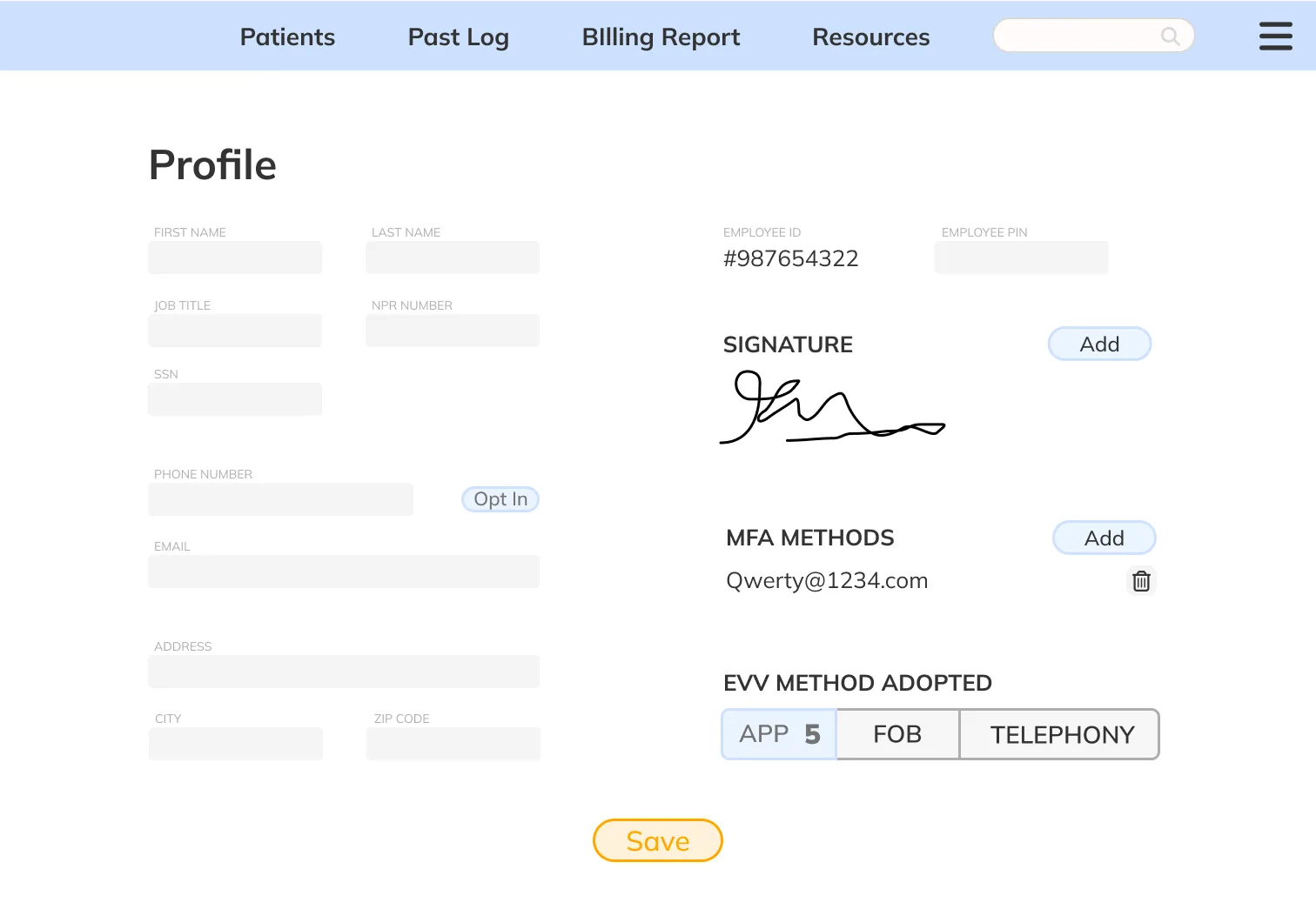
Profile Edit.
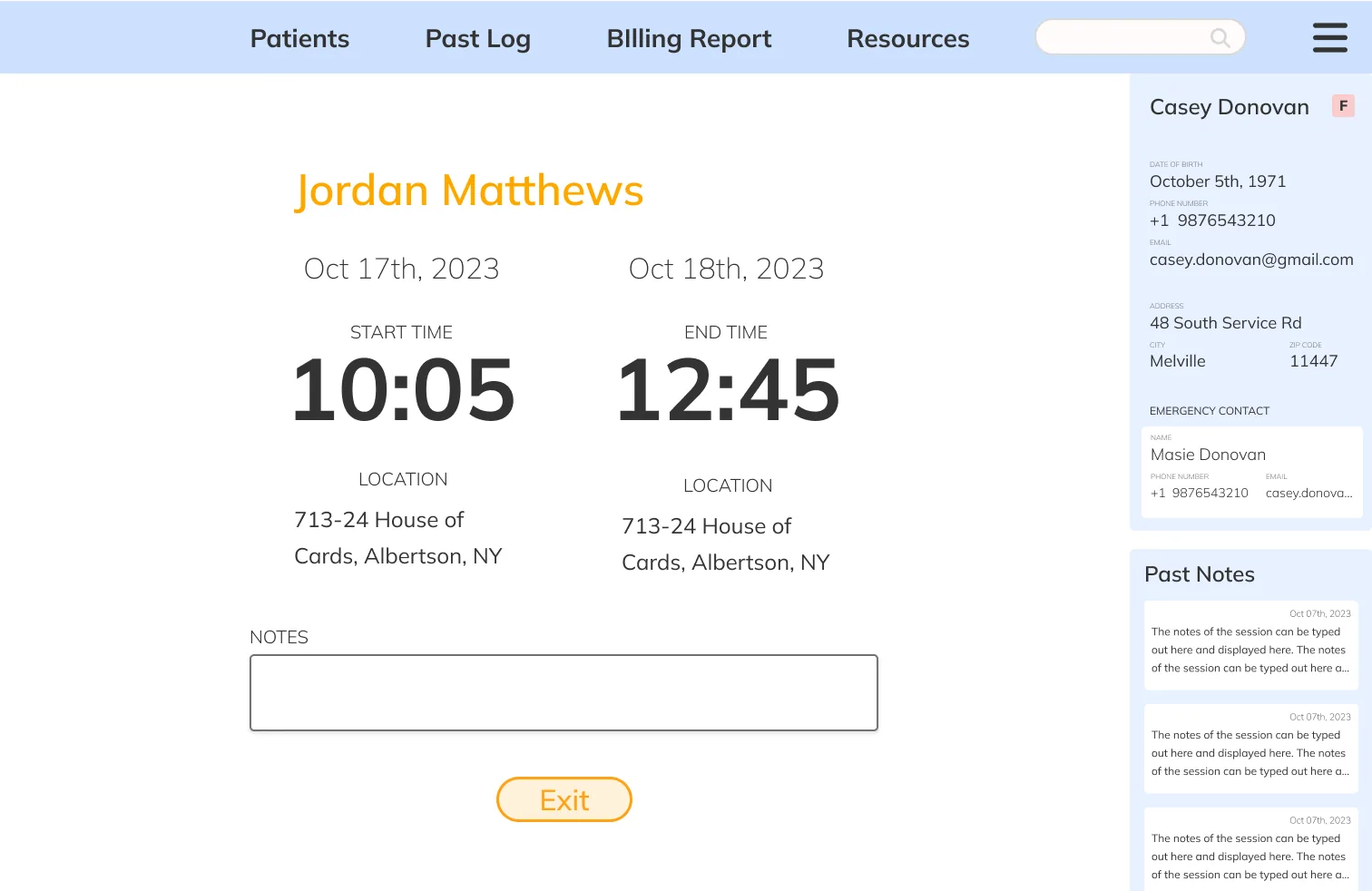
Visit Summary. What the visit produced — location, times, and the note — on one page a reviewer can read straight through.
Past Log. Completed visits in date order, with status and note visible without opening a row.